Understanding Shopify Pending Payments
When using Bookkeep to automate your Shopify accounting, you may come across "Pending Payments" recorded in your Shopify journal entries. This article explains what pending payments typically represent and how Bookkeep ensures accurate financial tracking. Below is an example of a scenario where pending payments would appear on this date:
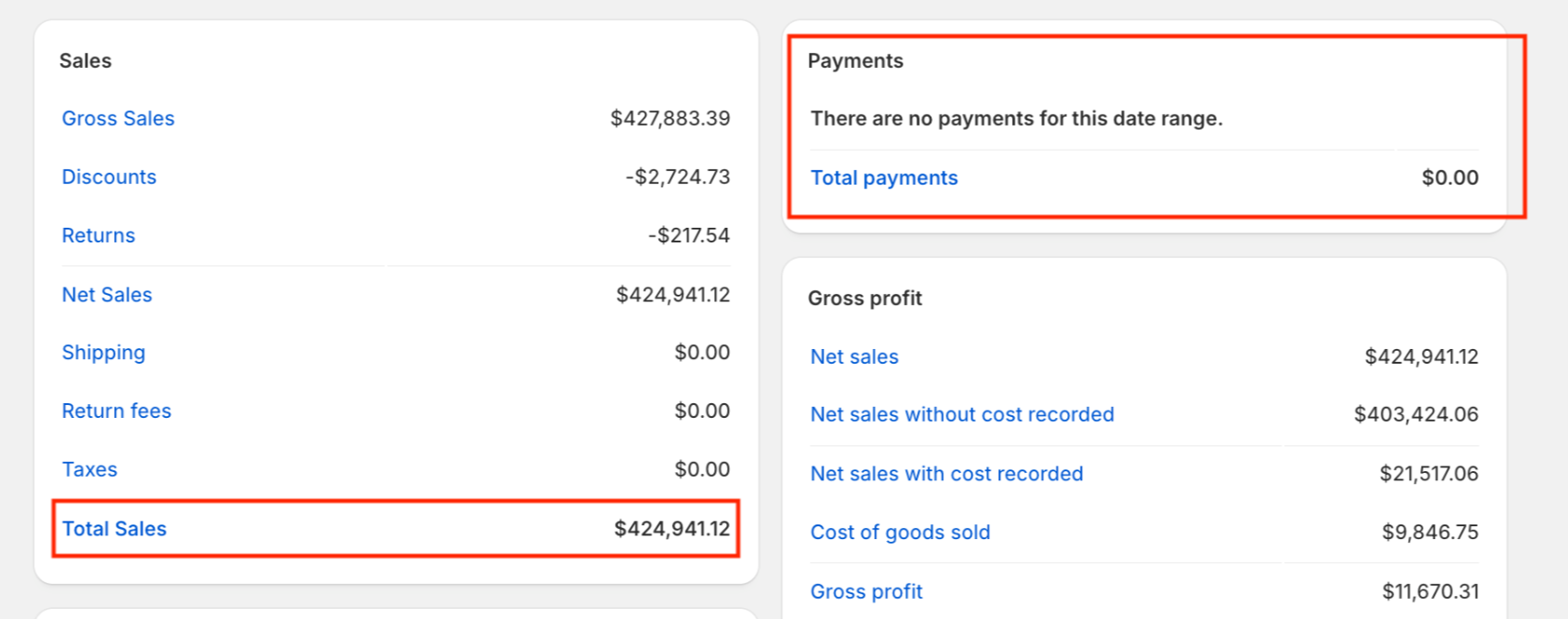
In the image above, no payments were captured for this date; therefore, pending payments would be recorded.
What Are Shopify Pending Payments?
Bookkeep captures pending payments when payments are not present for a order that occurred on a particular date. This can happen for various reasons, as discussed below:
Unpaid Orders
An order is placed but paid at a later time. This causes an initial debit to the pending payments since the accounts receivable balance has increased.
Repayment of Unpaid Orders
When a previously placed order is paid, the repayment is captured on the payment date. This causes a credit to the pending payments line since the accounts receivable balance has decreased.
Pending Refunds
The refund has been initiated, but the associated transaction linked to the refund has not been completed. Once the refund transaction is completed, Bookkeep will capture this as a reversal of the initial pending amount.
Imported Orders Without Imported Payments
An order is imported into Shopify without its associated payment details. In these cases, while the order has likely been paid, Shopify does not contain the payment data, making the order appear unpaid.
Orders Marked Paid
An unpaid order may be marked as paid and would appear under the pending payment line. Bookkeep typically encounters this in scenarios where items were given away (e.g., gift cards for a promotional giveaway). In these cases, Bookkeep has a specific subcategory under pending payments to indicate orders marked as paid without any actual payments. See below for example:
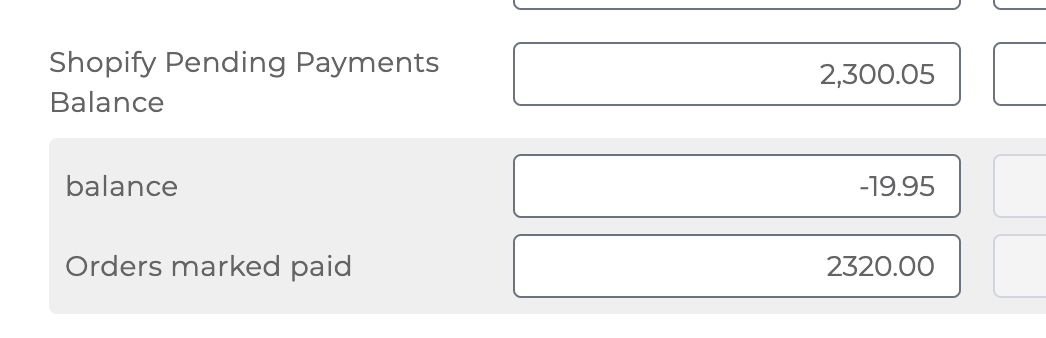
For some customers, this subcategory "Orders marked paid" could represent an expense for promotional giveaways. However, it could also indicate an operational issue where store personnel are incorrectly marking unpaid orders as paid.
On the newer Sales Summary, this is three lines
Bookkeep has two Shopify sales entries, both named Shopify Sales Summary. If the document number on your entry begins with BKShopify, you are on the newer one. There is no line called Pending Payments on it — the same balance is split across three named lines, so you can see what drove it without opening the detail:
| Line | What lands here |
|---|---|
| Other Receivables | Unpaid orders, later repayments, and pending refunds — the first three causes above |
| Orders Marked Paid | Orders marked paid in Shopify with no payment behind them — giveaways, promotions, or a staff member marking an order paid by mistake |
| Exchange Rate Differences | The difference between what an order was expected to bring in and what actually arrived after currency conversion |
Imported orders with no imported payment data still land in Other Receivables, because as far as Shopify is concerned the order is unpaid.
Understanding Payment vs. Sales Differences in Shopify with Bookkeep works through a real example of all three.
Bookkeep Handles Pending Payments
Bookkeep is designed to automate your Shopify accounting, ensuring transactions are correctly categorized and recorded in your accounting software. Here’s how we handle pending payments:
Payments are Recognized Once Finalized
Bookkeep does not record pending payments as true payments until they are fully captured. This prevents incorrect payment recognition and ensures your books match actual cash flow.
Tracking Payment Status
Our system syncs Shopify payment data daily, updating transactions once a pending payment becomes finalized. This ensures:
- Transactions are recorded only when the payments are captured
- Refunds and adjustments are handled correctly
- Payment discrepancies are flagged for review
For any issues related to pending payments in your Shopify accounting, please contact us at support@bookkeep.com for assistance!