Shopify Country Segmentation: Enhanced Reporting For Markets
You can use Shopify to sell products in multiple countries, each with its own payout accounts and reporting needs. Bookkeep enhances your Shopify connection by allowing you to segment your financial data by country, ensuring clearer visibility and more accurate accounting across international sales.
How Country Assignment Works in Bookkeep
Bookkeep assigns each Shopify order to a specific country based on where the sale is considered to occur. This determination uses the fulfillment type:
-
Shipped orders:
Assigned to the destination country of the shipment. -
Pickup/in-store orders:
Assigned to the country of the physical pickup location. -
Digital orders:
Assigned based on the customer’s billing address associated with the order.
By using actual Shopify order-level data, Bookkeep ensures that each transaction is accurately attributed to the correct country before posting to your accounting system.
Grouping One-to-Many Countries Into Segments
Once orders are categorized by country, Bookkeep allows you to group one or multiple countries into a single reporting segment.
This flexibility is especially useful when:
-
You want consolidated reporting across regions (e.g., “Europe” consisting of multiple EU countries).
-
Your business receives payouts to different bank accounts by country (e.g., U.S. orders paid out to a U.S. bank account, Canadian orders paid out to a Canadian bank account).
-
You need separate journal entries per country group for tax, revenue, or compliance purposes.
Country segmentation provides both clarity and control over how multi-country operations post into your accounting platform.
Segmenting by Country
After connecting Shopify, you will see the option to “Segment by country” (mirroring the sales channel segmentation workflow). This feature enables enhanced reporting by automatically dividing your order data into country-specific groups.
Example interface:
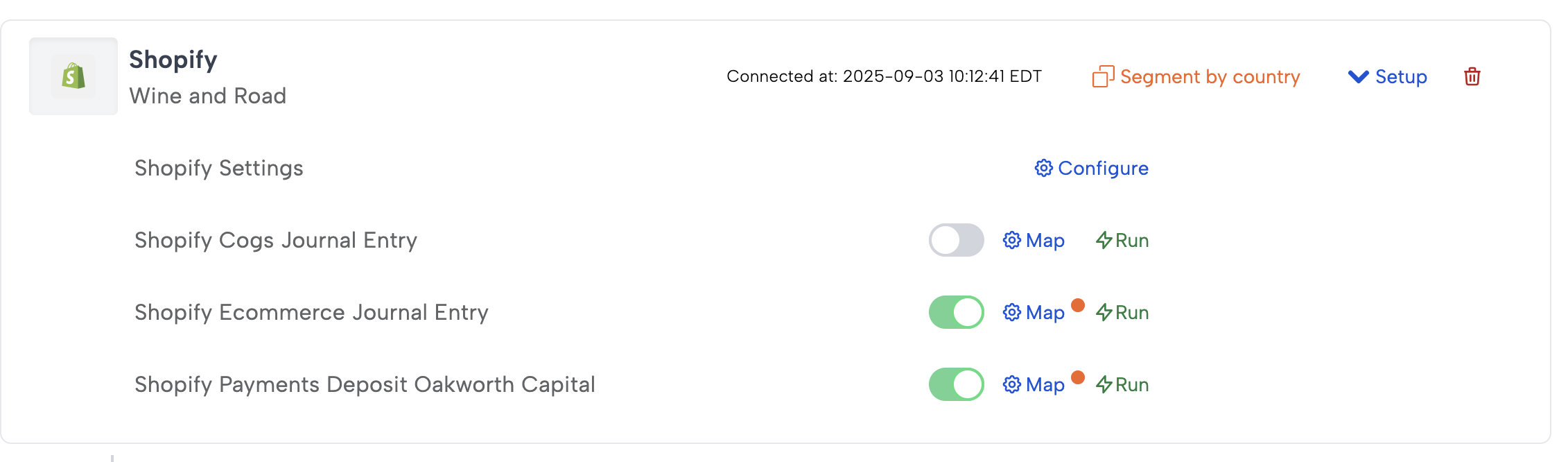
When you click “Segment by country,” Bookkeep displays a confirmation dialog asking whether you want to enable this feature.
Confirmation dialog:\
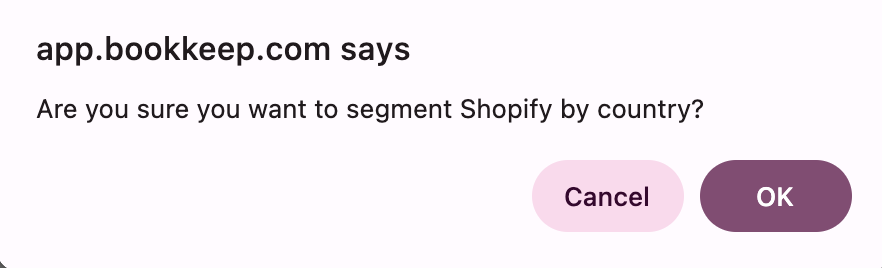
Once confirmed, Bookkeep scans your Shopify data to identify all countries present in your order history. After the scan completes, you will see a green banner indicating that a new country segment has been created.
Parent and Child Structure for Country Segments
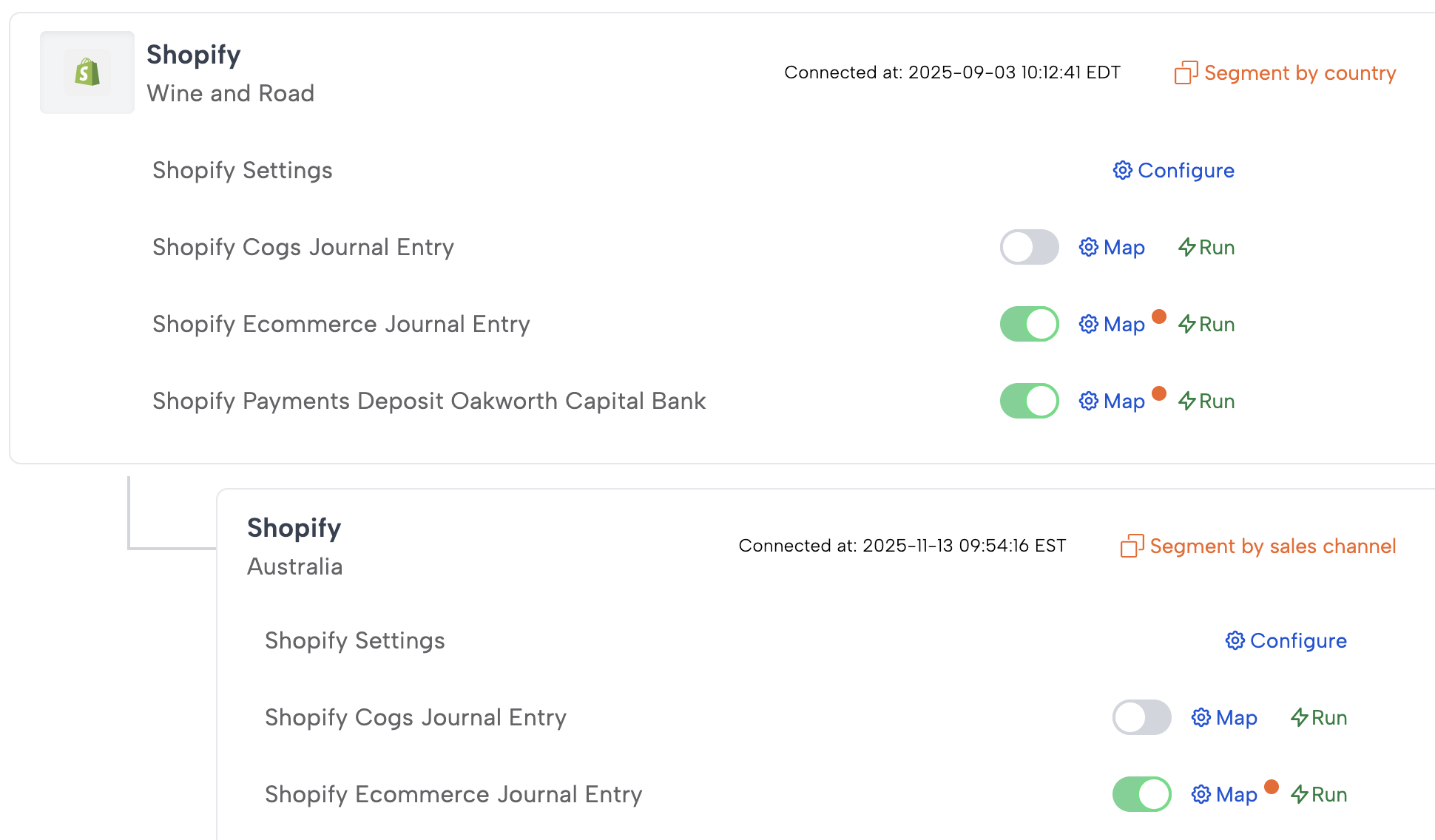
Country segmentation uses the same parent/child relationship structure used for sales channel segmentation.
Example configuration:
-
The parent connection represents your overall Shopify store. The parent still receives the deposit mappings for each bank account receiving Shopify payouts.
-
Each child represents a specific country or a custom grouping of countries.
You can assign different account mappings for each country child segment. For example, your USA sales and COGS entries could be assigned their own chart of accounts mapping different from the Canadian mappings.
When you open the Chart of Accounts mapping window, you’ll see a “Filter by country” dropdown. This allows you to select one or multiple countries to include in each child segment, as shown below:
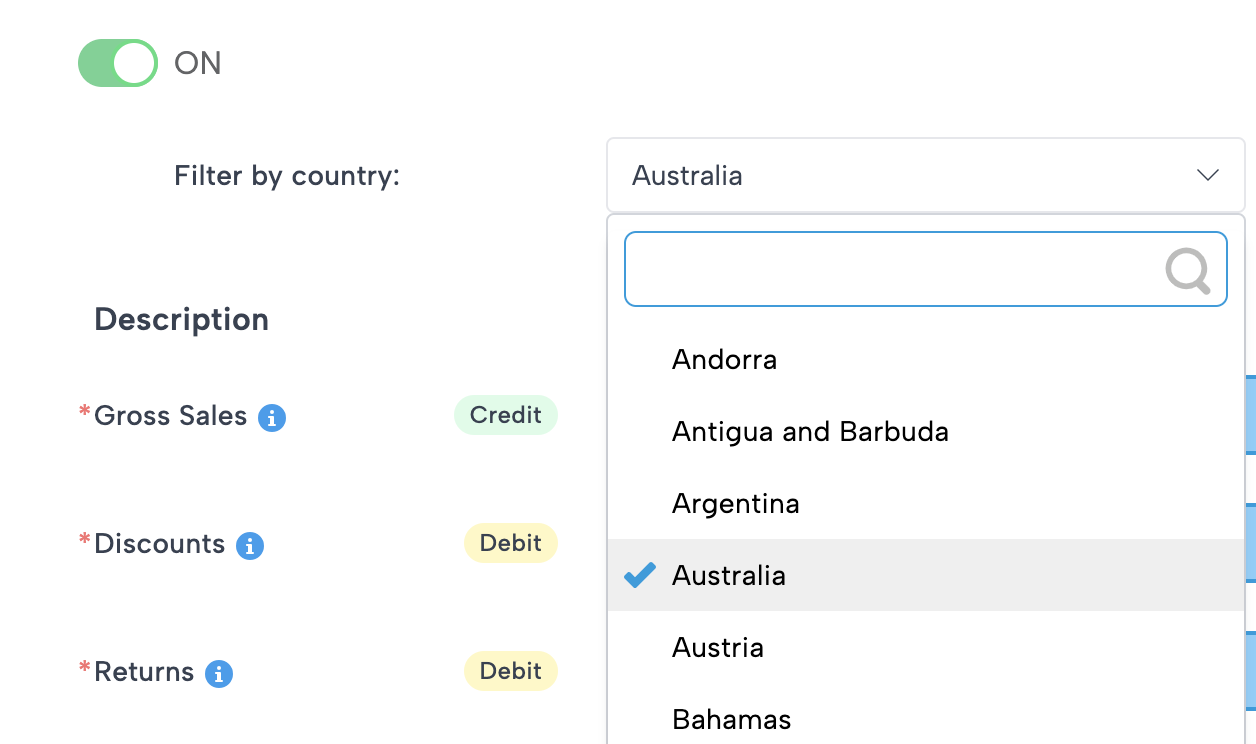
In the segment above, only Australia has been selected, so all orders associated with Australia will be included in this segment.
Repeating Segmentation
You can repeat the segmentation process any time by clicking the “Segment by country” button at the parent connection. Each time you click it, Bookkeep adds another child country group.
For each child:
-
Click Map to open Chart of Accounts mapping.
-
Use the “Filter by country” option to select one or many countries to assign to that child segment.
Example:
-
The USA segment may include only the United States.
-
The EU Region segment may include France, Germany, Spain, and Italy.
-
The North America segment may include Mexico, U.S., and Canada if you prefer consolidated reporting.
This flexible grouping supports both granular and high-level reporting structures.
Posting Example
Once mapping is complete, Bookkeep generates separate daily journal entries per country segment, such as:
-
A daily sales and COGS entry for U.S. orders
-
A daily sales and COGS entry for Canadian orders
This is especially beneficial when Shopify deposits funds into different bank accounts by country, making reconciliation faster and more accurate.
Benefits of Country Segmentation
-
Clear international revenue visibility
-
Support for multi-bank-account payout structures
-
Cleaner accounting mappings based on country-specific regulatory and taxation requirements
-
Ability to group multiple countries into one summarized segment
-
Separate journal entries per country for easier reconciliation
If you have any questions or need assistance setting up your country segments or groupings, feel free to reach out to support@bookkeep.com.