Shopify Sales Tax Withheld
Bookkeep captures "Sales Tax Withheld" data for sales channels in Shopify that collect and withhold sales tax on behalf of the seller. For affected accounts, map "Sales Tax Withheld" to the same account as "Sales Tax Collected" and any sub-accounts.
For example, items sold via Facebook with sales tax collected result in sales tax commonly withheld by Facebook. We capture this withheld portion to ensure you are not overpaying your sales tax liability.
When merchants sell on multiple sales channels, it can be difficult to determine whether the merchant or the sales channel is responsible for remitting sales taxes. Most marketplaces are the liable party for sales tax and should be excluded from merchant sales tax filings.
This addition helps merchants know when another party is responsible for sales tax remittance, clarifying the tax they are responsible for.
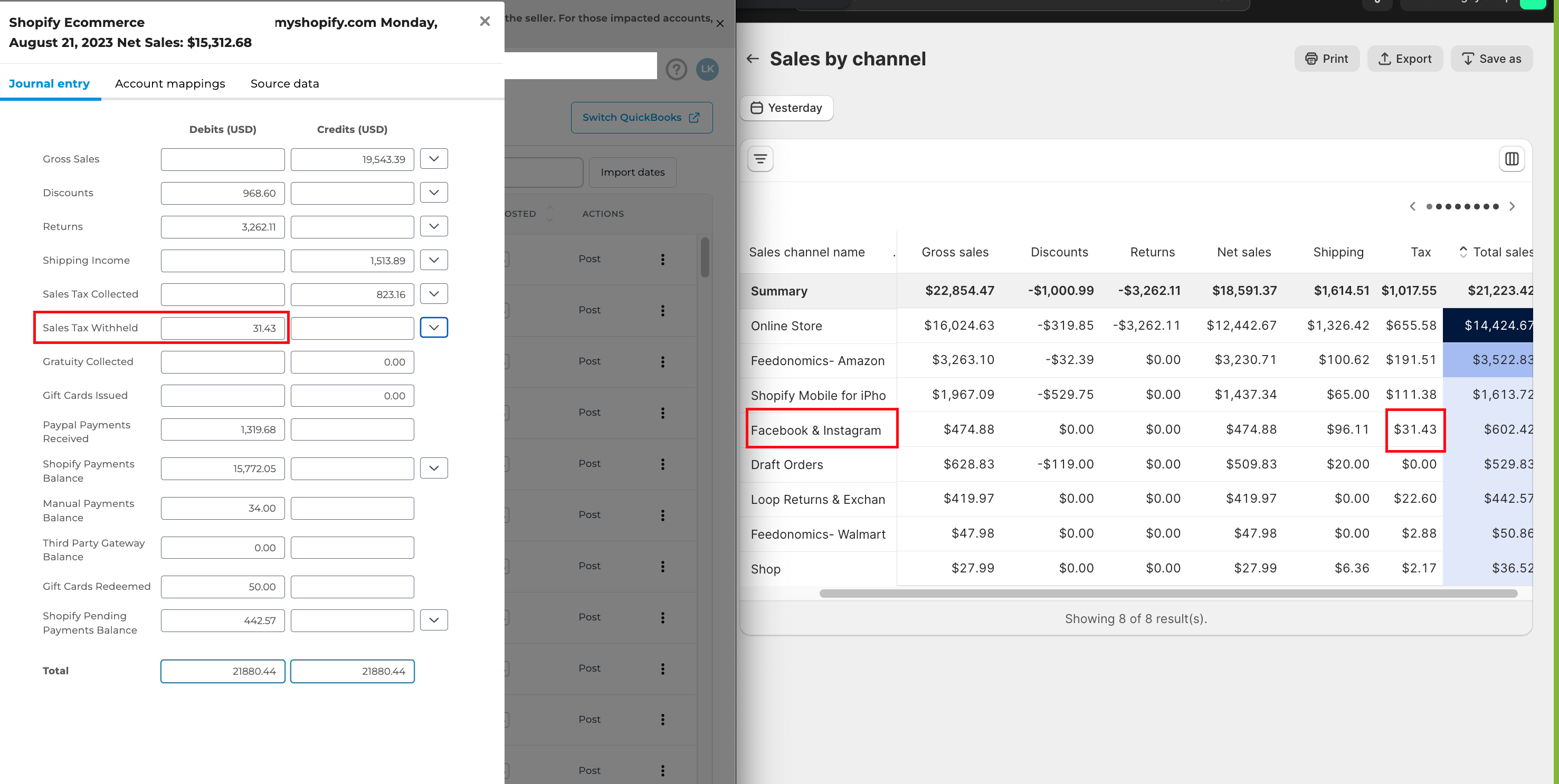
In the example below, you will see how sales tax withheld for Shopify ties out to the sales by channel report available in the Shopify dashboard.
On the newer Sales Summary entry
If your entry's document number begins with BKShopify, this line is called Marketplace Tax Withheld and it defaults to its own Marketplace Tax Collected account rather than to your sales tax account. It works the same way either way: map it to the same account as Sales Tax Collected if you want your sales tax account to show only the tax you are responsible for remitting, or leave it on its own account if you would rather track the withheld portion separately.
One thing to know when you reconcile: on this entry, the withheld tax is taken off the payment line of the gateway that collected it, so the money is only counted once. Shopify's Finances Summary reports that gateway before the withheld tax came out, so your payment lines will read lower than Shopify's by the withheld amount. Add Marketplace Tax Withheld back to the gateway lines when you compare the two.
See Matching Your Shopify Sales Summary to Shopify's Finances Summary.
If you have any questions, feel free to contact support@bookkeep.com.