Managing Toast Deposits in Bookkeep: Automated Bank Sync
Overview
Bookkeep automates Toast accounting by capturing daily sales activity and now also allows you to connect the bank account that receives Toast deposits, enabling those deposits to be synced directly into your accounting system. Since Toast does not provide an external API for payouts or deposits, this combined approach ensures complete visibility—from daily sales to final cash in the bank.
How Bookkeep Handles Toast Daily Sales
Bookkeep automatically posts a daily summarized journal entry that reflects your restaurant’s activity for each business day, including:
-
Gross sales
-
Discounts and refunds
-
Taxes collected and withheld
-
Payment methods
-
Processing fees
-
Merchant cash advance (MCA) repayments
-
Net amount owed by Toast
The net amount is posted to a Toast Balance (clearing) account, representing funds expected to be deposited.
New: Connect Your Bank to Sync Toast Deposits
Because Toast does not expose deposit data, Bookkeep now allows you to:
👉 Connect the bank account where Toast deposits are received
This can be completed by going to the My Apps tab in the Connections view, selecting the Toast connection where you want to link a bank account, and clicking “Connect Bank.” You’ll need the login credentials for the bank account that receives your Toast deposits to complete the setup.
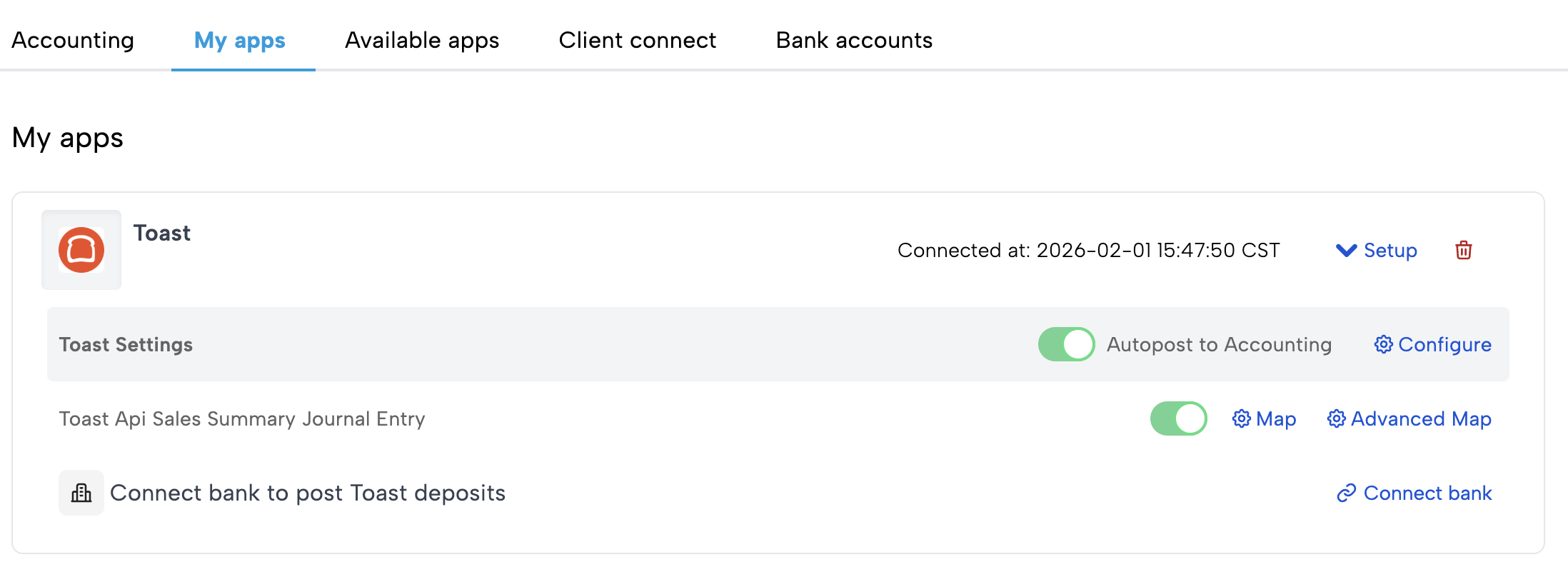
Once connected:
-
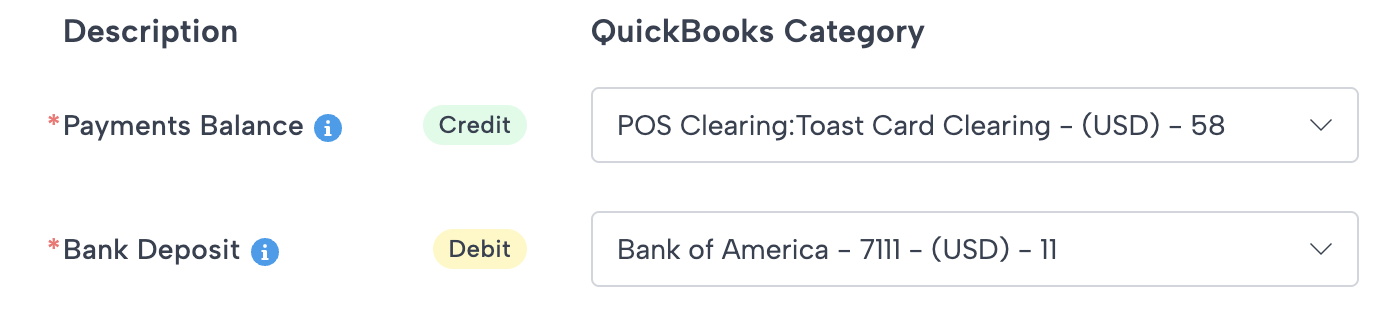
You can map to your chart of accounts similar to other journal entry mappings:
-
Deposits are automatically synced into your accounting system
-
Bookkeep enables a more seamless reconciliation workflow
-
You no longer need to rely solely on manual bank feed rules
Why This Matters
Toast’s limitation:
- No API access to payout or deposit data
Without this enhancement:
- Deposits must be tracked manually
With Bookkeep:
-
Daily sales → automated
-
Deposits → synced via connected bank
Recommended Setup: Toast Balance Clearing Account
To ensure clean accounting, Bookkeep uses a Toast Balance clearing account to track:
-
Funds owed by Toast
-
Deposits received
-
Timing differences between sales and payouts
End-to-End Workflow
Step 1 — Daily Sales (Automated)
Bookkeep posts daily activity to Toast Balance
-
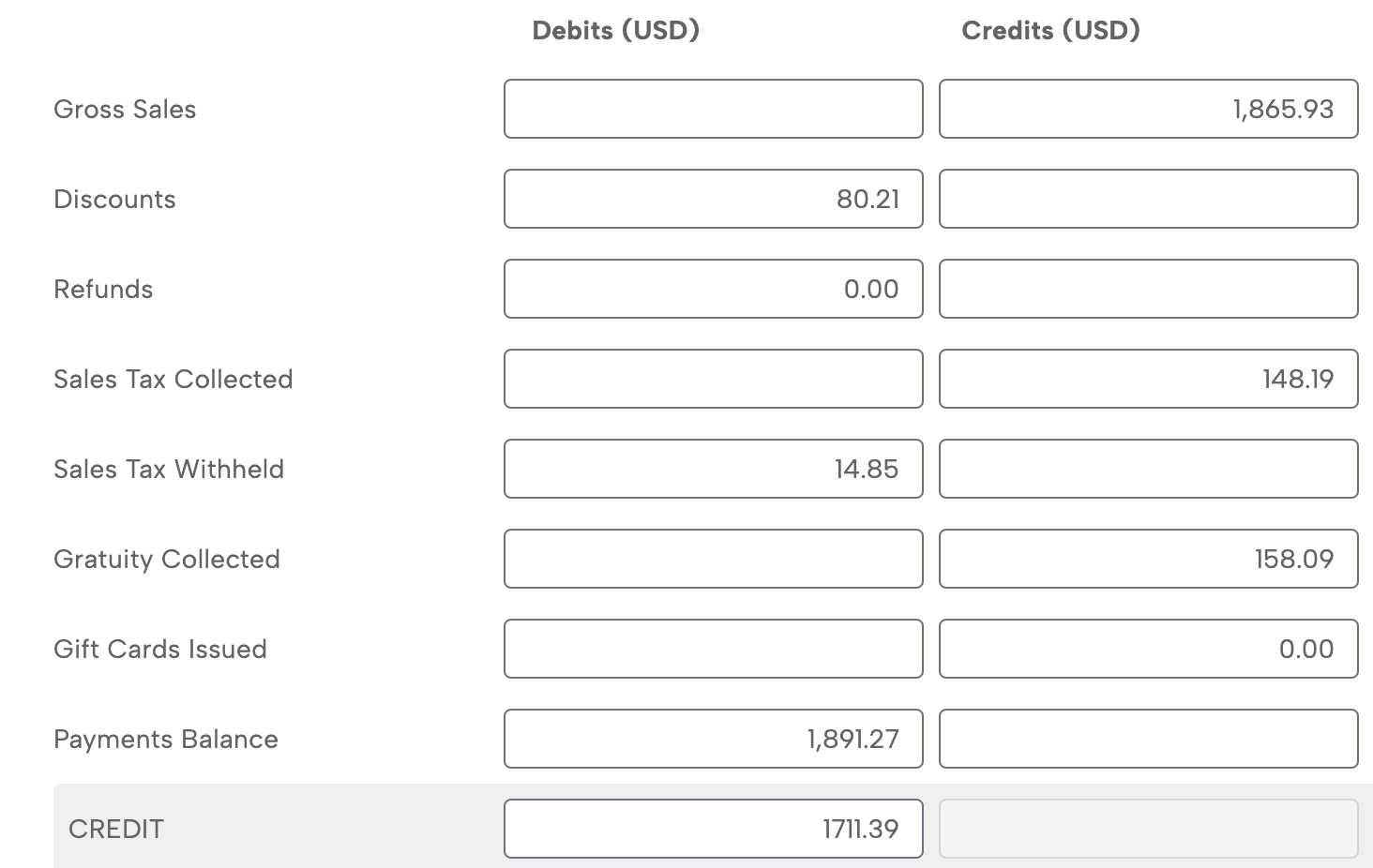
Example: $1,711.39 net added to Toast Balance from 4/6 sales in the Toast clearing account (listed under the CREDIT subcategory)
Step 2 — Deposit Hits Your Bank
Toast deposits funds based on its payout schedule
Step 3 — Deposit Sync
-
Bank account is connected in Bookkeep
-
Deposit is automatically brought into accounting
-
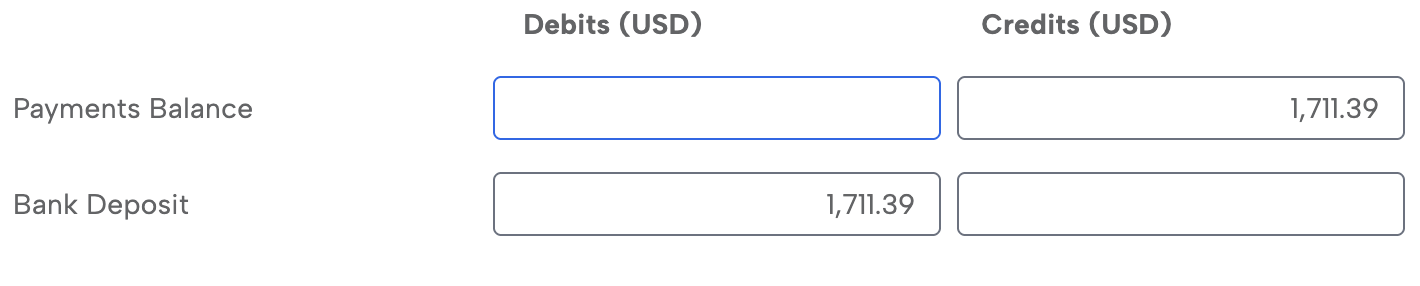
Example: $1,711.39 is paid out on 4/8 which is linked to the 4/6 sales shown above and reduces the Toast clearing account balance.
👉 Result:
-
No manual entry required
-
Full traceability from sales → deposit
Benefits of This Approach
-
Accurate daily revenue recognition
-
Automated deposit syncing via bank connection
-
Visibility into fees and MCA repayments
-
Reduced manual work and fewer errors
Best Practices
-
Connect the bank account receiving Toast deposits in Bookkeep
-
Use a dedicated Toast Balance clearing account
-
Regularly review Toast deposit reports
-
Reconcile deposits daily, weekly, or monthly
Summary
Bookkeep combines automated daily sales entries with bank-connected deposit syncing to bridge the gap created by Toast’s lack of external payout APIs. By using a Toast Balance clearing account and syncing real deposits from your bank, Bookkeep delivers accurate, end-to-end visibility with minimal manual effort.