Verifying Your Test Payment
What is a Test Payment?
Before we can process real payments to your bank account, we need to verify that we have the correct account information. To do this, we send one small test deposit (usually less than $1) to your bank account. You'll need to confirm the exact amount of this deposit to complete the verification process. After verification, we'll withdraw the same amount from your account.
Why Did I Receive This Email?
You received an email notification because a test deposit has been sent to your bank account. Once this deposit appears in your account (typically within 1-2 business days), you need to verify the amount to activate payments for your location.
Step-by-Step Verification Process
Step 1: Check Your Email
Look for an email from support@bookkeep.com with the subject line about test payment verification. The email will contain a link to verify your account.
The subject line will say:
A test payment is on the way
Test payment completed...
Action Required - Test payment completed...
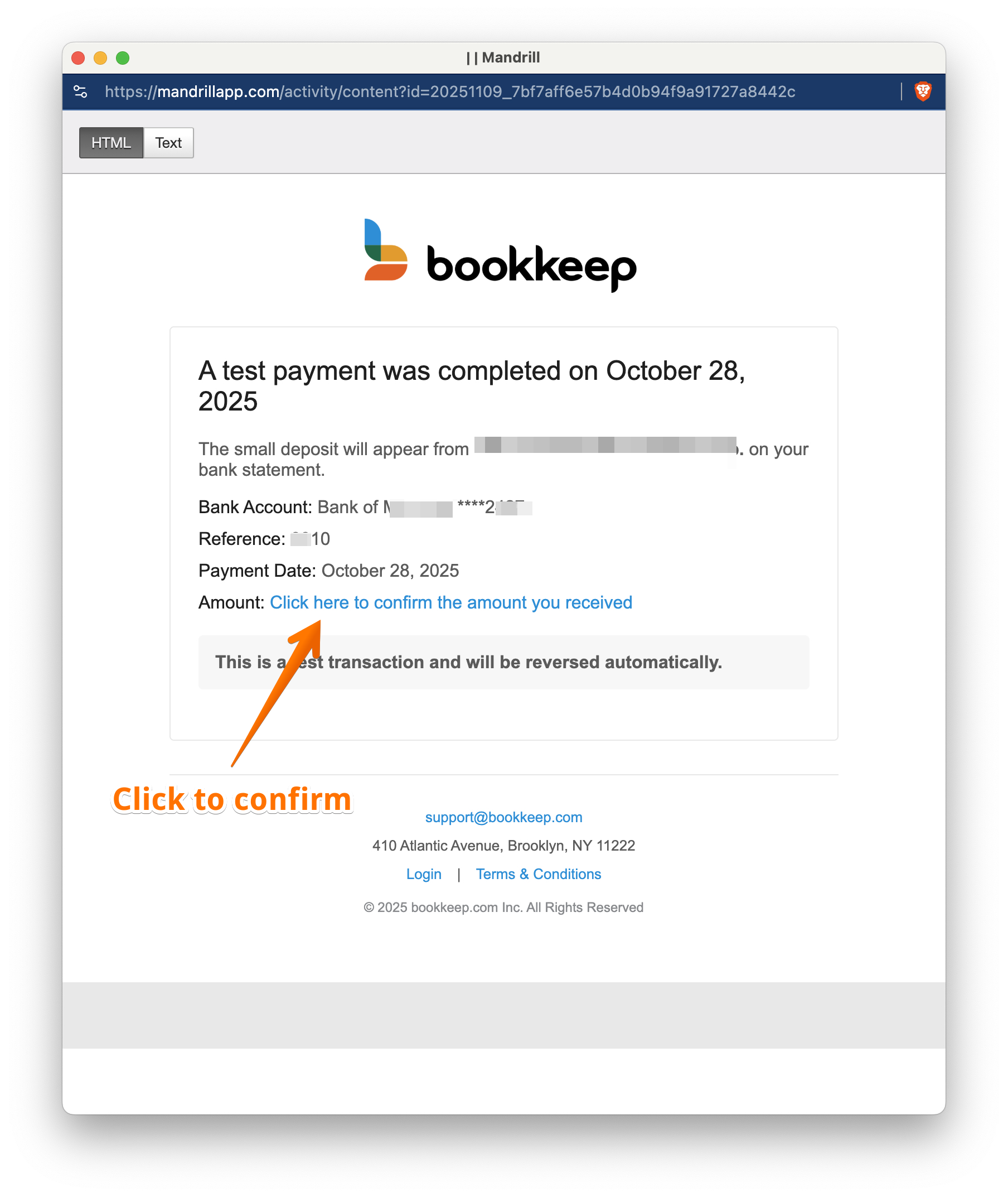
Step 2: Click the Verification Link
Click the "Confirm the amount" link in the email. This will take you to the verification page on the BK Nozap platform.
Step 3: Check Your Bank Account
Log in to your bank account and look for a small deposit. The deposit will appear under the business name indicated in the email, or if you're part of a franchise, it may appear under your franchisor's business name. This deposit typically appears within 1-2 business days of receiving the email.
Important: Write down the exact amount of the deposit (for example: $0.47).
Step 4: Verify Location Name
On the verification page, you'll see the location name associated with this bank account.
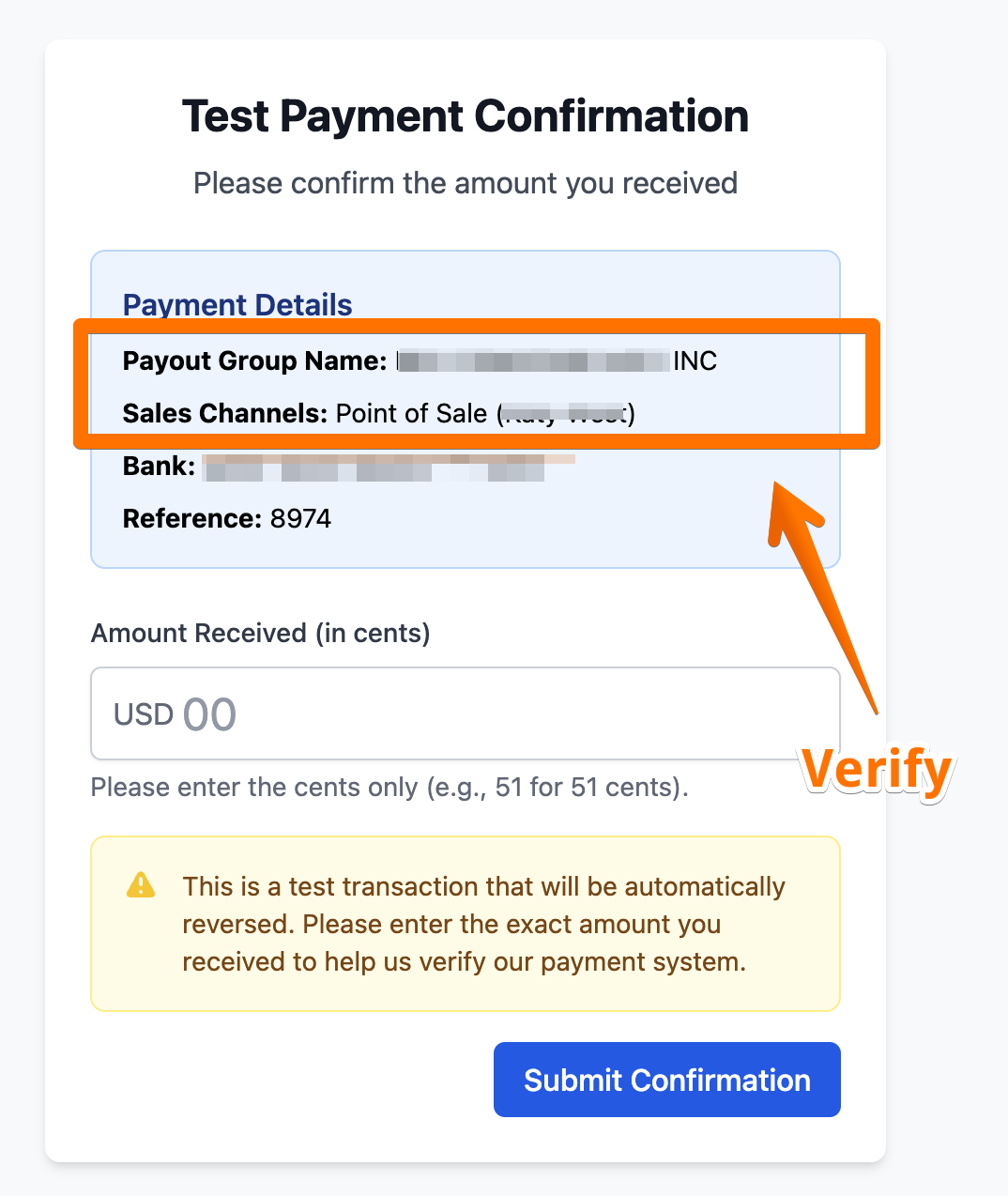
Critical: Make sure the location name matches the bank account where you received the deposit. If the location name doesn't match your bank account, contact support before proceeding.
Step 5: Enter Deposit Amount
Enter the deposit amount exactly as it appears in your bank account:
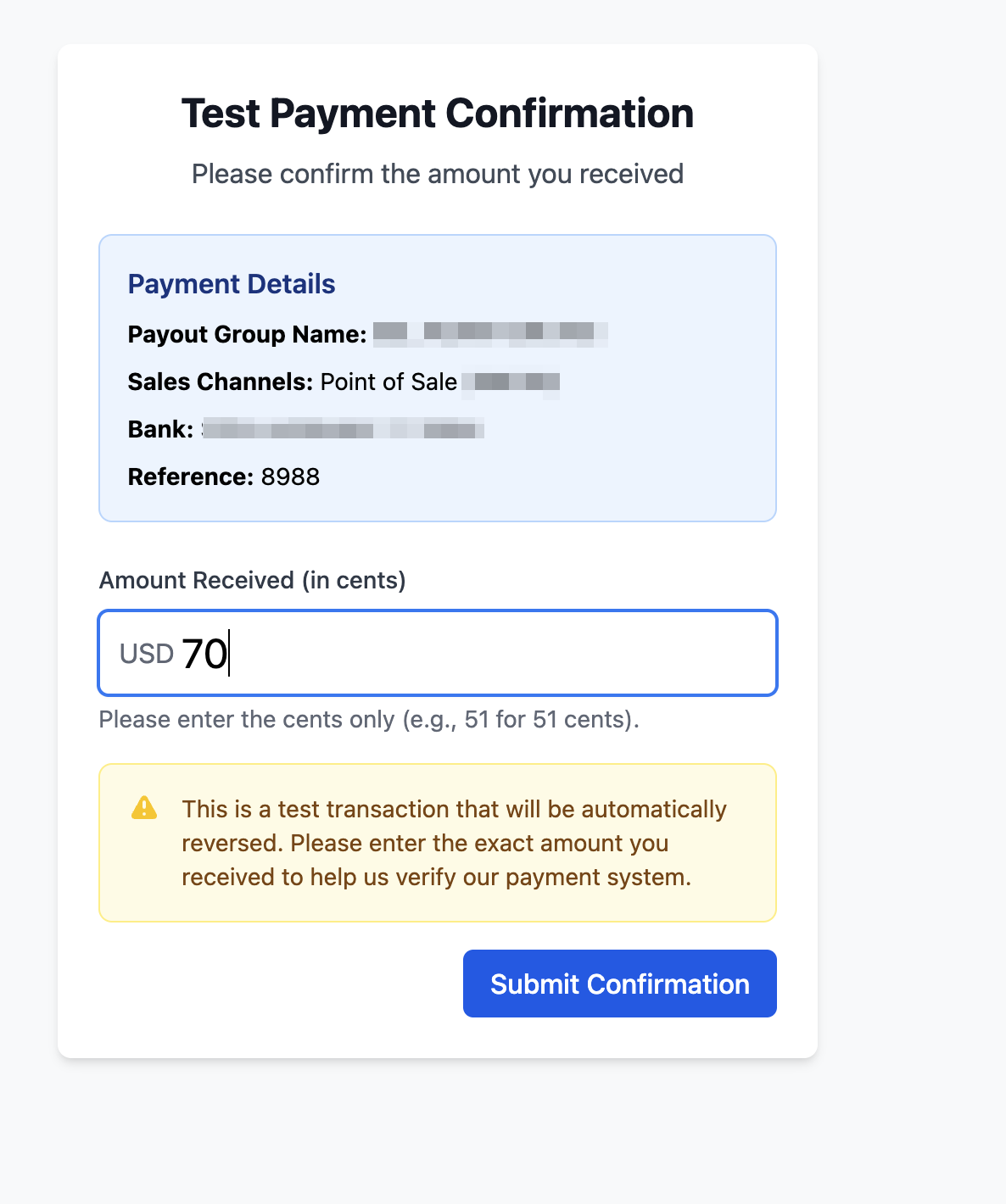
Tips:
- Enter the amount with cents (e.g., 0.47, not .47 or 47)
- Double-check that you've entered the amount correctly
- Make sure you're looking at the deposit, not a withdrawal
Step 6: Submit Verification
Once you've:
- ✓ Confirmed the location name matches your bank account
- ✓ Entered the deposit amount correctly
Click the "Verify" or "Submit" button to complete the verification.
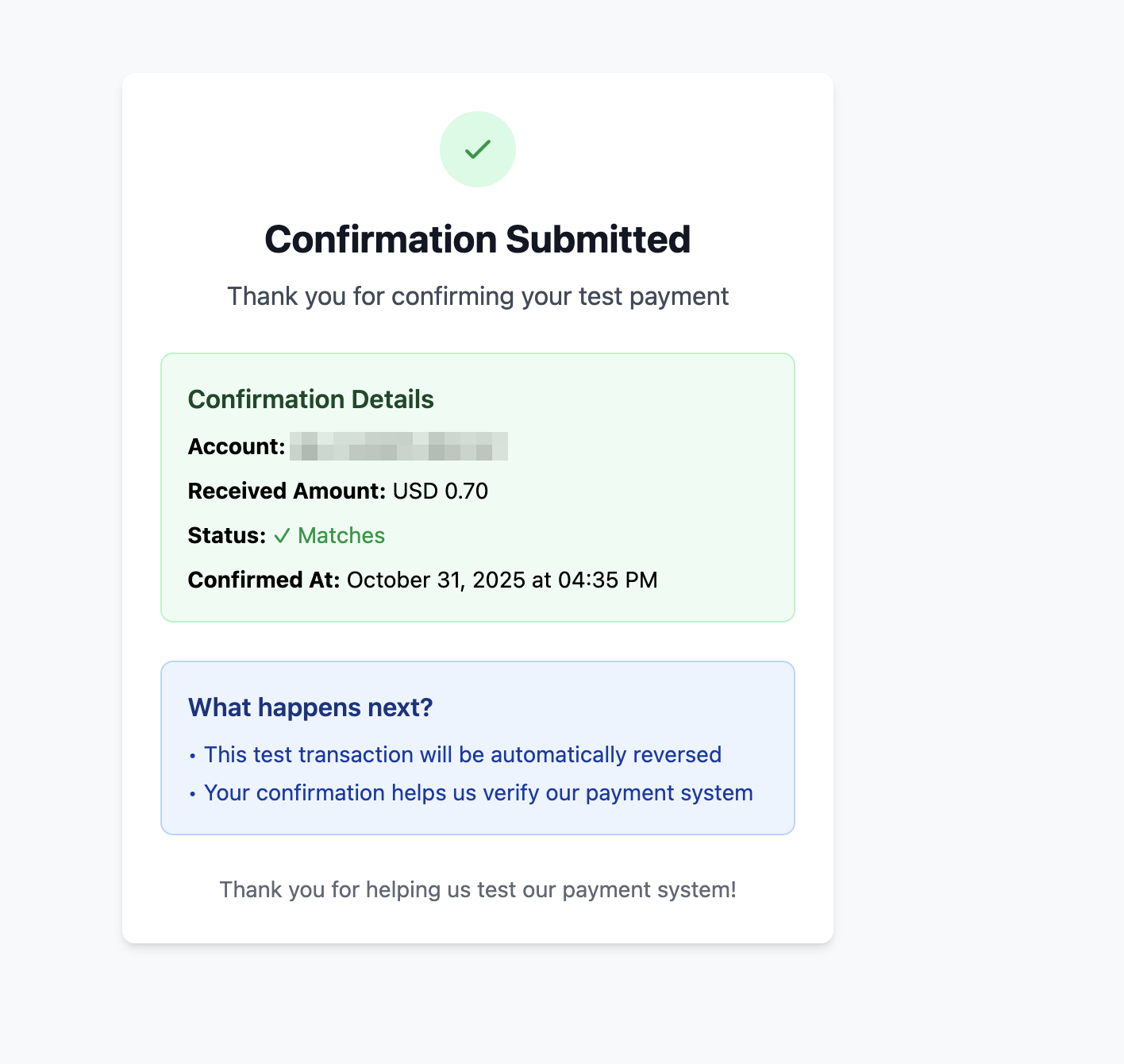
What Happens Next?
After successful verification:
- Your bank account is now verified and ready to receive payments
- Your payouts will be set to live, starting with the next scheduled payout
- The test deposit amount will be withdrawn from your account
- Future payments will be processed automatically to this verified account
Troubleshooting
I don't see the deposit in my bank account yet
Solution: The test deposit typically takes 1-2 business days to appear. If it's been longer than 3 business days, contact support.
I entered the wrong amount
Solution: You may have a limited number of attempts. If you make a mistake, try again with the correct amount. After multiple failed attempts, you may need to contact support to reset the verification.
The location name doesn't match my bank account
Solution: Do not proceed with verification. Contact support immediately to correct the bank account information before verifying.
I didn't receive the verification email
Solution:
- Check your spam/junk folder for emails from support@bookkeep.com
- Make sure the email address on file is correct
- Contact support to resend the verification email
The verification link expired
Solution: Contact support to request a new verification link.
Need Help?
If you encounter any issues during the verification process, please contact our support team:
- Email: support@bookkeep.com
- Include your location name and a description of the issue
This verification process is a one-time requirement to ensure secure and accurate payment processing to your bank account.