Amazon Date Range Summary Report Update: Released + Deferred Transactions
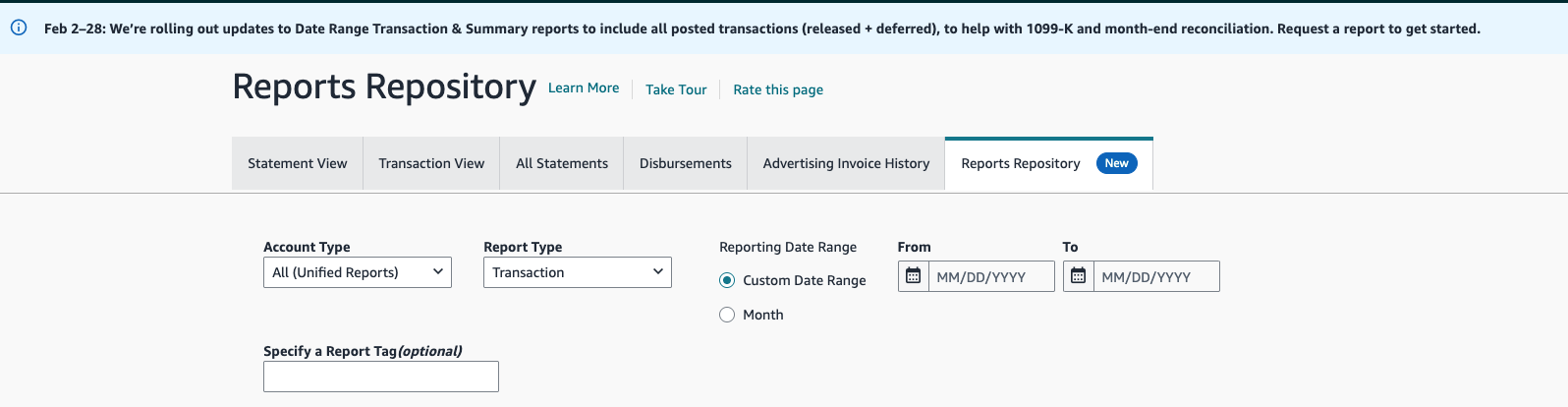
Amazon has announced a significant change on the Amazon Seller Central Reports Repository: the Date Range Summary Report will now include both released and deferred transactions.
Previously, this report only included released transactions, which made it straightforward for Bookkeep users to reconcile their accounting entries against Amazon reporting. With this update, the report’s totals and composition will change, and sellers using the traditional approach may notice differences when tying out reports.
This article explains what changed and how to ensure your Bookkeep data continues to reconcile cleanly with Amazon reporting.
What Changed in the Amazon Date Range Summary Report
Before this update
-
The Date Range Summary Report included released transactions only.
-
These represented funds that had been settled and released by Amazon.
-
Bookkeep’s Amazon Summary Entry captured released transactions, making reconciliation simple.
After this update
-
The Date Range Summary Report now includes both:
-
Released transactions
-
Deferred transactions
-
This means the totals in the report now reflect a broader set of transactions than before.

Why This Impacts Bookkeep Users
Historically, Bookkeep’s Amazon Summary Entry matched the old version of the Date Range Summary Report because both were based on released transactions only.
With Amazon’s change:
-
The Date Range Summary Report totals will no longer match entries that capture only released transactions.
-
The Amazon Summary Entry still matches Amazon's All Statements view, which is organized by payout period and built from released transactions, but not the updated Date Range Summary Report. For that reason Bookkeep is retiring it; see Amazon Summary Template Retirement.
Users may see differences when attempting to reconcile using the previous method.
The Recommended Solution: Deferred and Released Sales Summary
To align with Amazon’s updated reporting, Bookkeep introduced the Deferred and Released Sales Summary.
This report:
-
Captures both deferred and released transactions
-
Ensures revenue is not double recognized
-
Provides a complete financial picture
-
Allows for easy reconciliation with Amazon’s updated reporting
Using this report ensures your accounting reflects the same data set Amazon is now presenting in the Date Range Summary Report.
You can learn even more about the Deferred and Released Sales Summary here.
How the Deferred + Released Breakout Helps You Reconcile
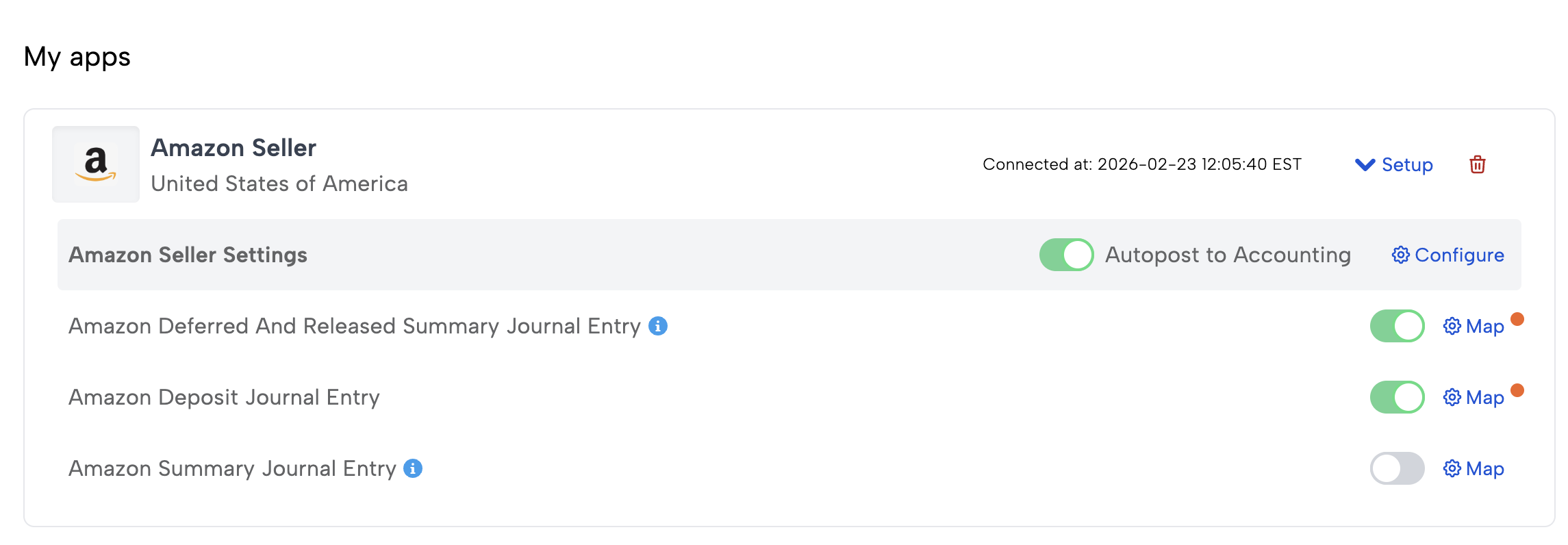
The reason this report ties out so cleanly is that Bookkeep does not post the Amazon balance as a single lump sum. The entry carries two balance lines: Deferred Balance, holding the sales Amazon has not yet released, and Amazon Balance, holding the released sales awaiting deposit. Each is broken out into child lines grouped by transaction type and by the date each amount was originally deferred.
Because each child line is labeled, you can see exactly which portion of the Date Range Summary Report is new deferred activity and which portion is a release of a sale that was deferred on an earlier day.
Consider a single day where:
- $1,200 of new Shipment sales are deferred (Amazon hasn't released the funds yet), and
- $800 of Shipment sales that were originally deferred on a prior day are now released.
The two balance lines break out like this:
| Line | Child line | Amount | What it represents |
|---|---|---|---|
| Deferred Balance | Deferred: Shipment from: 2026-07-02 | +$1,200.00 | New sales deferred today |
| Deferred Balance | Deferred: Shipment from: 2026-06-25 | −$800.00 | The prior deferral drawn down as it is released |
| Amazon Balance | Released: Shipment (prior-day) | +$800.00 | The matching release, now in the clearing account, tagged as originating from a prior day |
Two things happen here that make reconciliation reliable:
-
Revenue is recognized only once. The sale was booked as revenue when it was first deferred. On release, the
Releasedline in Amazon Balance and the offsetting negativeDeferredline in Deferred Balance net to zero across the two accounts — the release simply moves $800 from Deferred Balance to Amazon Balance and does not re-recognize revenue. Deferred Balance is left holding the $400 that is still deferred. -
Each release is traced back to the day it was deferred. The
(same-day)/(prior-day)tag on released lines, and thefrom: YYYY-MM-DDdate on deferred lines, let you tie a release back to the exact day and bucket it drew down. A same-day deferral-and-release wash is distinguishable from a prior-day release that draws down a balance booked in an earlier period.
Since the report now contains both the deferred and released detail — the same data set Amazon presents in the updated Date Range Summary Report — you can reconcile the report as a whole, or drill into the deferred and released child lines to confirm any individual date range.
Why Two Accounts
Deferred Balance is mapped to an Other Current Asset account (e.g. “Amazon Deferred Balance”) and holds funds Amazon is holding to be paid out at a later date. Amazon Balance is the clearing account that the Amazon Deposit entry clears. As transactions are released they move out of Deferred Balance and into Amazon Balance, and the next deposit clears them from there.
The advantage is visibility and a clean reconciliation: your Deferred Balance account shows, at any point in time, exactly how much Amazon is still holding, separate from the released funds awaiting deposit in Amazon Balance, and Amazon Balance returns to (near) zero after each payout the way a clearing account should.
The two-account layout is standard for this template and both lines must be mapped. It used to be optional; entries posted while the option was off carried the deferred child lines inside Amazon Balance. Turning the option on mid-history stranded whatever was deferred at the time, so history is corrected by re-running from your revenue recognition start date, not by a manual entry. See Amazon Deferred Transactions.
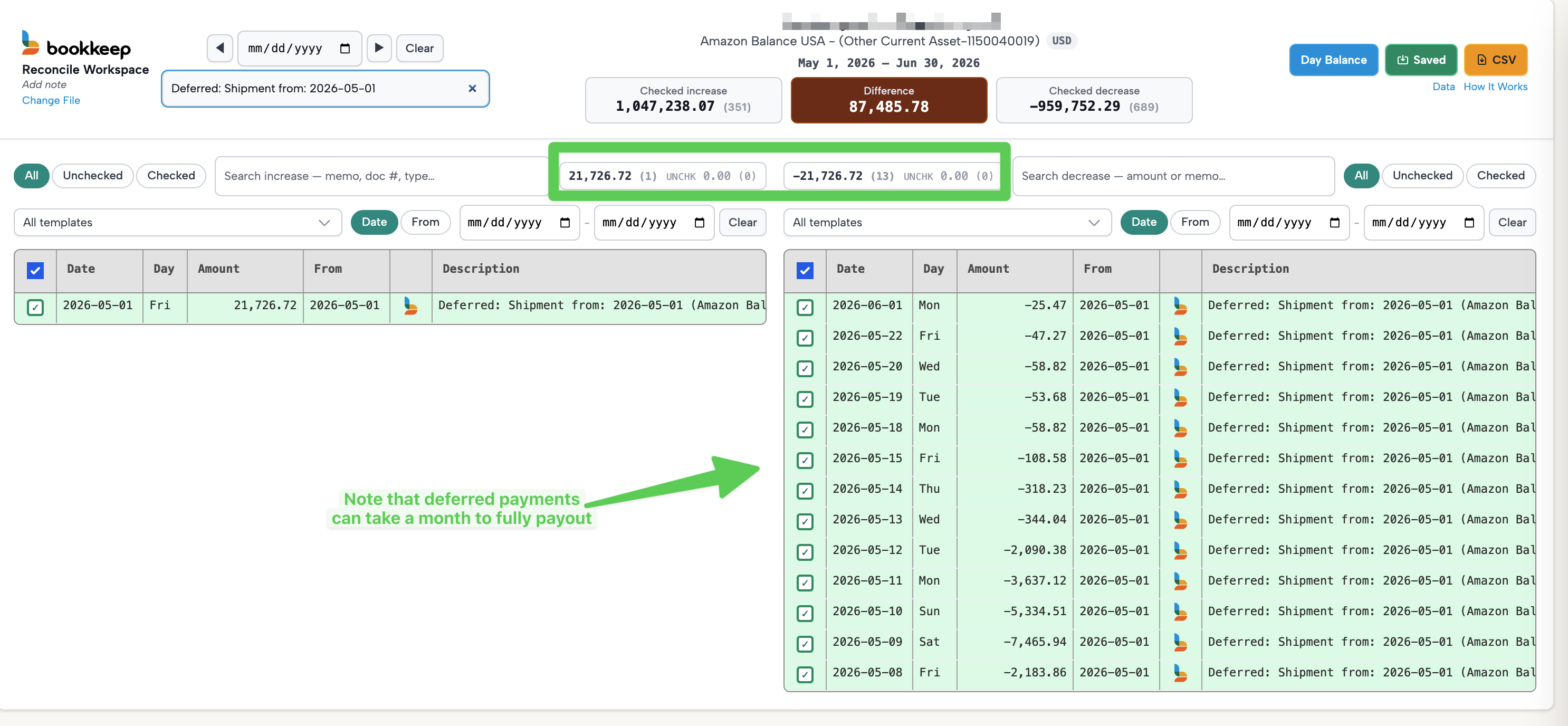
A single day’s deferred sales are not released all at once. Amazon can take more than a month to fully pay out the deferred amount from one day — different transactions from the same origin date are released piecemeal across many settlement periods. This is why a single origin date (e.g. Deferred: Shipment from: 2026-06-25) is drawn down gradually over time rather than in one release, and why your Deferred Balance account carries a rolling balance that clears over weeks as the funds are released into Amazon Balance.
In the example below, a single origin day’s deferred Shipment total (one increase of $21,726.72 on 2026-05-01) is released across 13 separate decreases spread from 2026-05-08 all the way through 2026-06-01 — over a month later — until it fully nets to zero.
Why Bookkeep’s Daily Method Is Better
Some competitors address this change by creating a month-end adjusting entry to account for deferred transactions. While this approach may technically work, it introduces several challenges:
-
Difficult to reconcile specific date ranges
-
Less visibility into daily performance
-
More complex month-end processes
-
Harder to compare against Amazon reports
Bookkeep takes a different approach.
With the Deferred and Released Sales Summary, Bookkeep:
-
Captures activity daily
-
Includes both deferred and released transactions
-
Maintains accurate revenue recognition
-
Makes it easy to reconcile against the Date Range Summary Report
-
Provides clear insight into daily performance
What You Should Do
If your Reports Repository indicates that the Date Range Summary Report will now include both deferred and released transactions, we recommend the following:
-
Use the Deferred and Released Sales Summary in Bookkeep, with both Amazon Balance and Deferred Balance mapped.
-
Set your revenue recognition start date to the first day the new template runs. Bookkeep posts a one-time opening entry for the sales that were deferred before the switch, so nothing falls between the two templates. See Switching from the Amazon Summary Template.
-
Do not rely solely on the traditional Amazon Summary Entry when reconciling to the updated Date Range Summary Report.
-
Compare your Bookkeep entries directly against Amazon’s updated report for the relevant date range, and use the reconciliation reports attached to each Amazon Deposit entry to confirm the balance accounts.
Summary
Amazon’s update to the Date Range Summary Report is a major change that affects how sellers reconcile their financial data. While the previous approach relied on released transactions only, the report now includes deferred activity as well.
By using Bookkeep’s Deferred and Released Sales Summary, you can:
-
Stay aligned with Amazon’s updated reporting
-
Maintain accurate accounting
-
Reconcile easily for any date range
-
Gain better visibility into your daily performance.
If you have questions about transitioning to this report, the Bookkeep team can help ensure your setup continues to reconcile seamlessly.