Connect Etsy to Bookkeep
To begin utilizing Bookkeep's automated journal entries for Etsy, you must connect the Etsy store from which you wish to import data. Follow the step-by-step setup process below to ensure you are ready to go.
Step-by-Step Setup Process
1. Connect Your Etsy Account
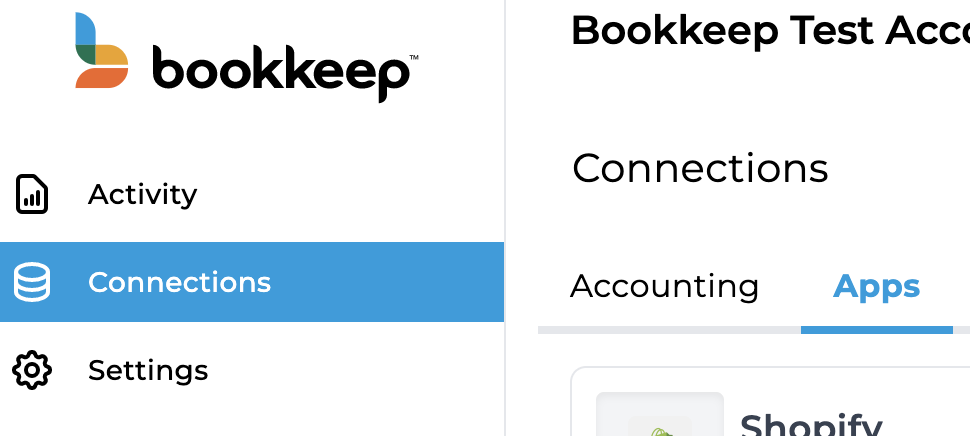
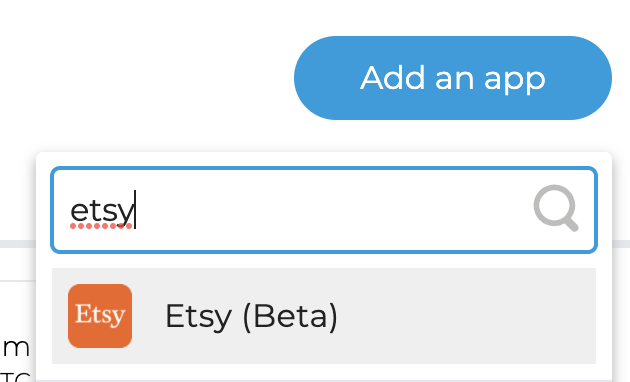
First, connect your Etsy store by visiting the Connections/Apps View (from the left navigation) and clicking "Add an app" (in the top right) to search for Etsy:
2. Choose Connection Method
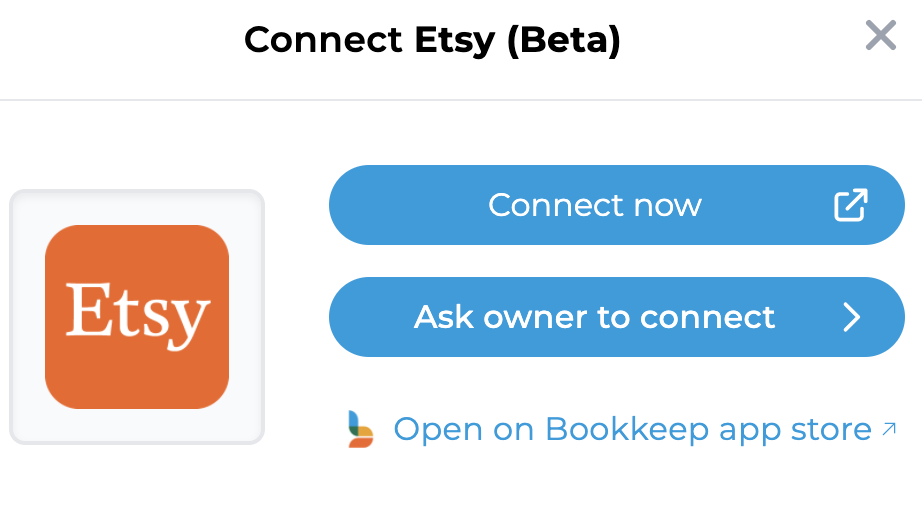
Clicking on Etsy will take you to the screen to connect. We give you the option to invite the store owner to connect for you if you do not have the store credentials (this will send them an email to connect Etsy). Otherwise, if you have the credentials keys, click "Connect Now."
3. Log In to Etsy
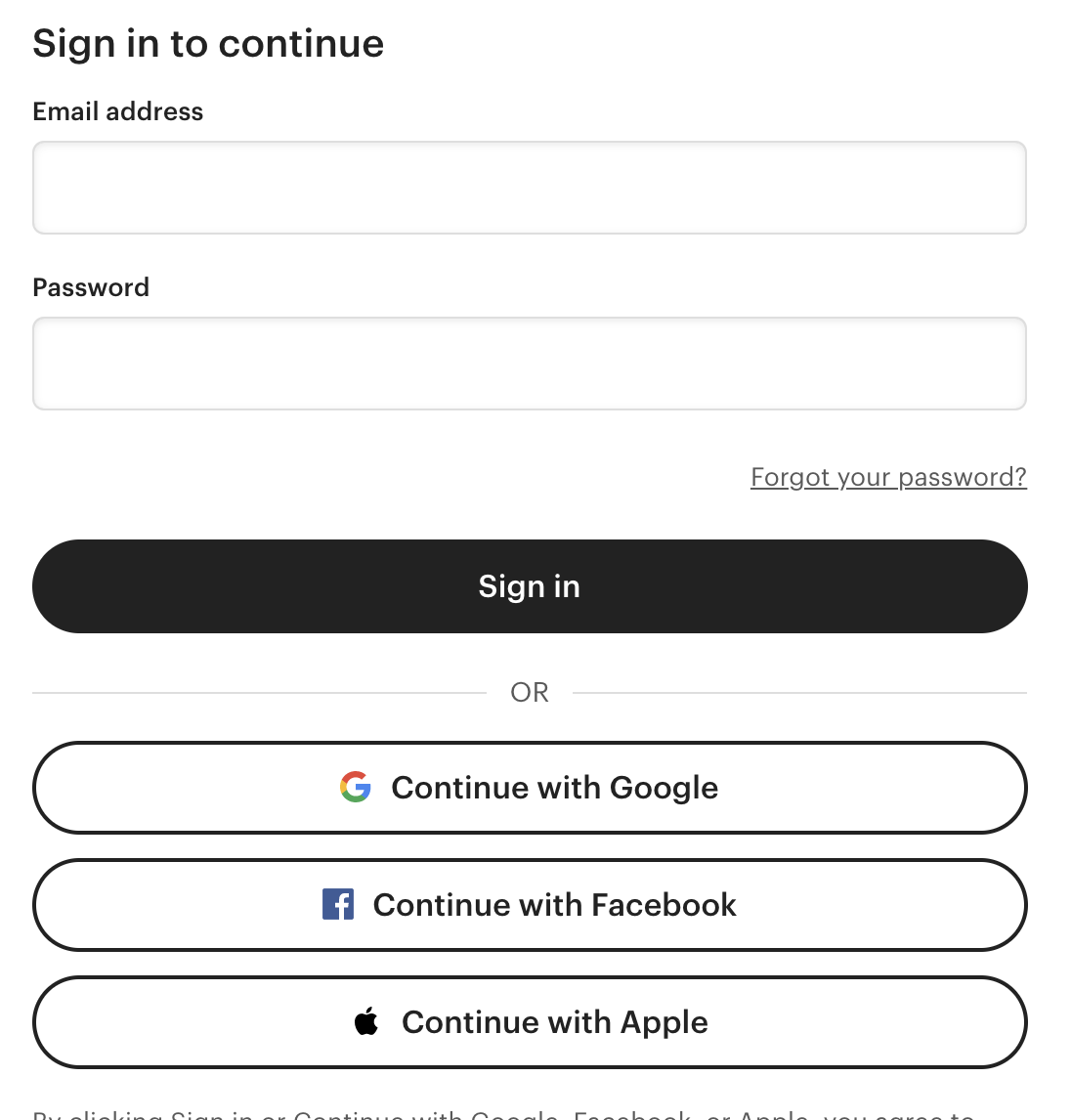
If you proceed with "Connect Now," a new window will appear for you to log in to your Etsy store as shown below:
4. Confirm Connection
Once you have logged in to grant access to Bookkeep, you will see the Etsy
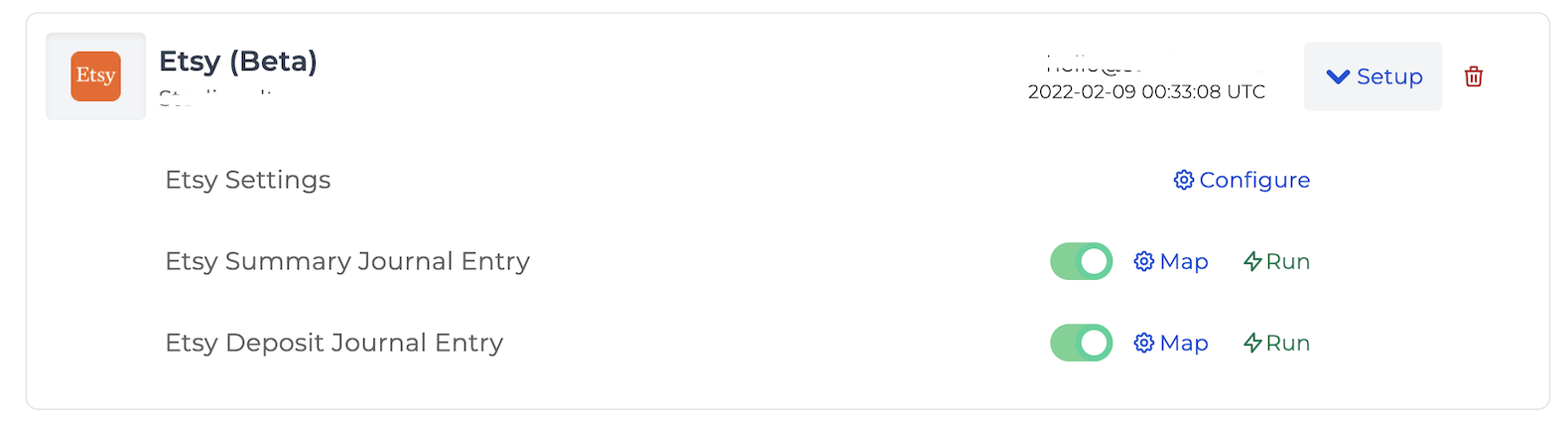
store connected to Bookkeep in your Connections:
5. Complete Account Mapping
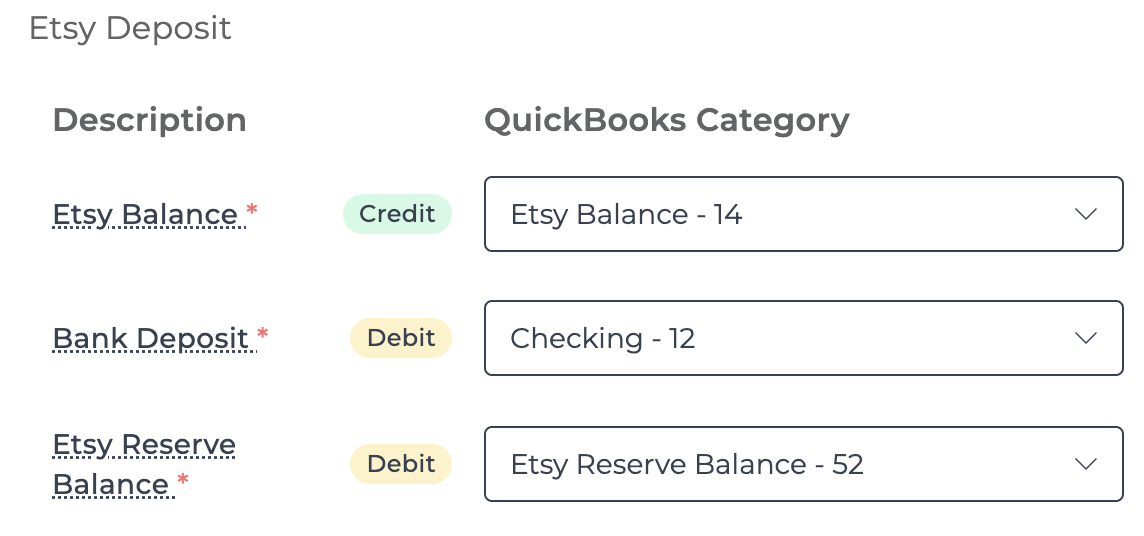
Now that your Etsy store is connected to Bookkeep, complete your mapping to the accounts from your accounting platform (e.g., QuickBooks Online). This can be done on the Connections tab by clicking on "Setup" to expand the dropdown where you can then click "Map" for a specific template. After completing the mappings, you can set each journal entry to "ON." This will activate a daily journal entry for each journal entry template that is turned on. We offer both a sales summary daily journal entry and a deposit journal entry.
6. Configure Time Zone Settings
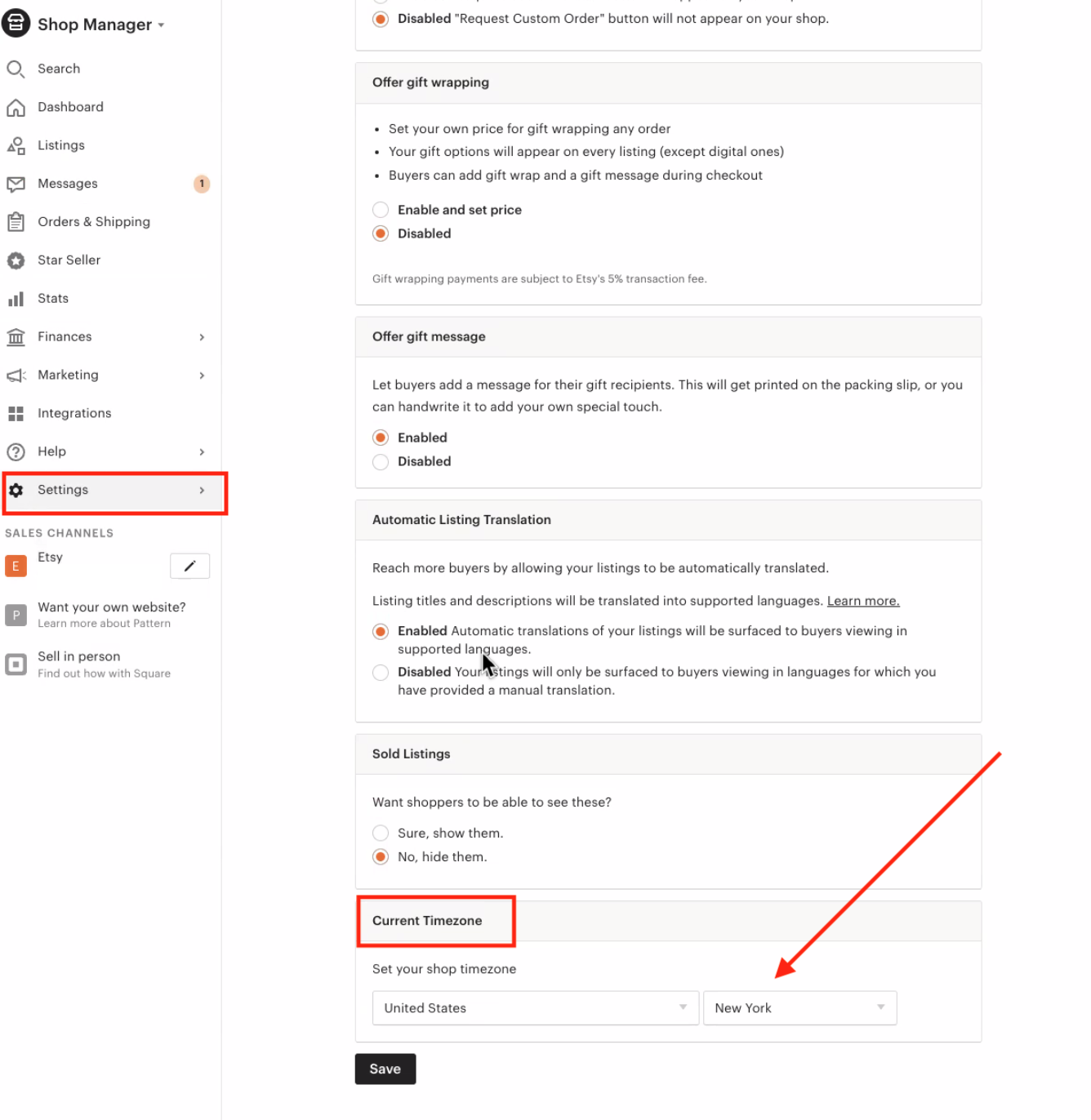
Within the dropdown from the Connections view, click "Configure" to select the correct time zone and end of day for the connected store. End of day should be left as "midnight" to match the same 24-hour period in Stripe for the account that you have connected. This ensures we retrieve the correct order and deposit data for that time period.

The time zone in your Etsy account settings in Bookkeep MUST be the same as your time zone in the Etsy dashboard to ensure all your entries are reflected properly in your accounting platform, including your beginning and ending balances. To find your timezone settings in the Etsy Dashboard, go to Settings -> then look for Current Timezone.
7. Activate Journal Entries
Once you have mapped the necessary journal entry templates and set them to "ON," journal entries will begin posting to your accounting platform the next day!
Please write to support@bookkeep.com if you have any questions.