Control When Bookkeep Posts Entries To Accounting
Bookkeep includes an Auto-Post feature that automatically posts completed journal entries to your connected accounting platform (such as QuickBooks, Xero, or NetSuite).
By default, Auto-Post is turned ON. This means once:
-
Your accounting platform is connected, and
-
Your accounts are mapped,
Bookkeep will automatically send entries to your accounting system without requiring manual approval.
This helps ensure your books stay accurate and up to date with minimal effort.
When Auto-Post Is ON (Default Behavior)
With Auto-Post enabled:
-
Journal entries are posted automatically once they are ready
-
No manual approval is required
-
Entries post only after mappings and connections are complete
-
Ideal for ongoing, hands-off automation
This is the recommended setting for most customers once setup is complete.
When You May Want to Turn Auto-Post OFF
You may choose to turn off Auto-Post if:
-
You want to review each journal entry before it posts to accounting
-
You are new to Bookkeep and want to become familiar with the entry structure
-
You are in a testing or onboarding phase
-
You are making recent changes to mappings or workflows
With Auto-Post turned off, entries will still be created in Bookkeep—but they will not post to your accounting platform until you manually approve them.
What Happens When Auto-Post Is OFF
When Auto-Post to Accounting is disabled:
-
Journal entries continue to generate as normal
-
Entries remain in an Unposted state
-
No data is sent to your accounting platform automatically
-
You must manually post each entry after review
This gives you full control over when entries reach your accounting system.
How to Turn Auto-Post On or Off
-
Log in to Bookkeep
-
Navigate to Connections > My apps
-
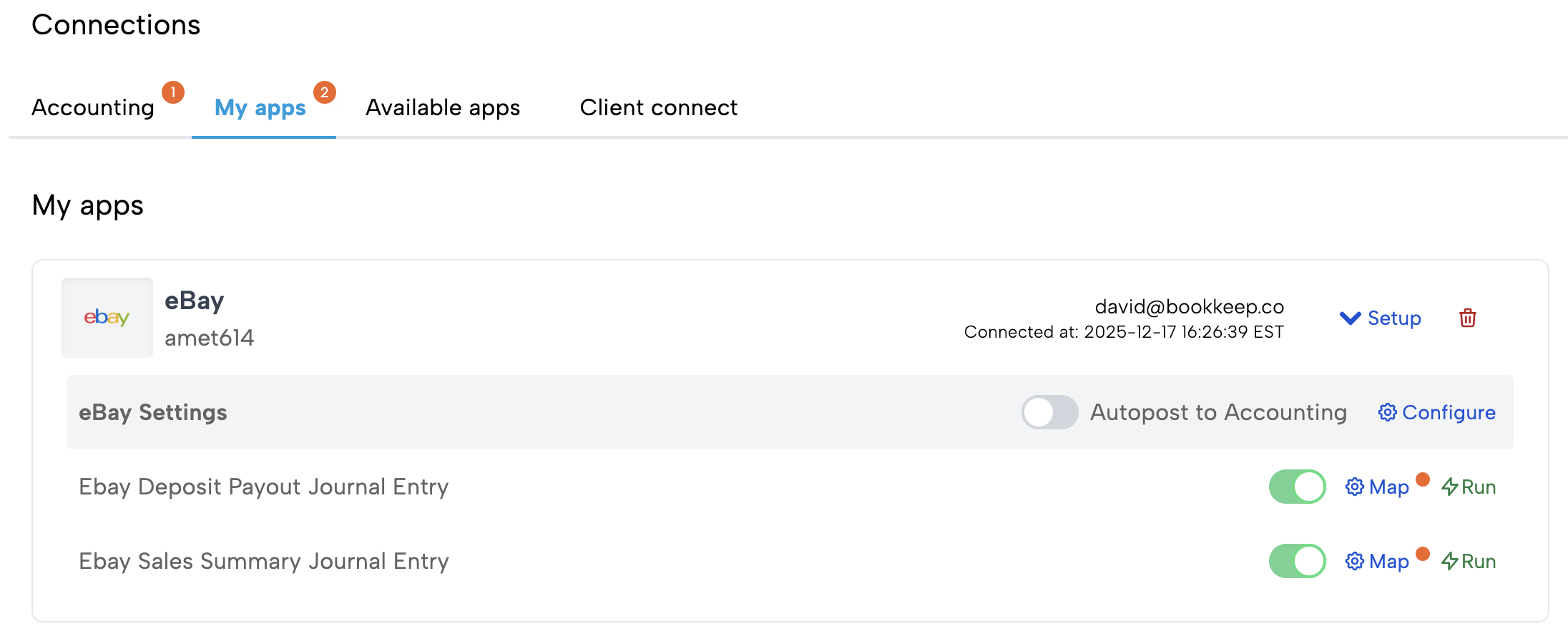
Locate the Autopost to Accounting option under the specific connection you want to update as shown below
-
Toggle ON or OFF based on your preference (above it is set to OFF)
Best Practice Recommendation
-
New customers: Turn Auto-Post OFF during initial setup and review a few entries
-
Established customers: Turn Auto-Post ON for full automation and consistency
You can switch Auto-Post on or off at any time—there is no permanent commitment.
Need Help?
If you’re unsure which setting is right for your workflow, or if you’d like help reviewing your first entries, our support team is happy to help.