Chart Of Accounts Automap For Quickbooks, Xero, And Zoho
Bookkeep’s Chart of Accounts Automap feature automatically creates and maps the accounts you need in your connected accounting platform—QuickBooks, Xero, or Zoho Books. This saves time, eliminates manual setup, and ensures your sales channel data is ready to post accurately.
What Does Chart of Accounts Automap Do?
When enabled, chart of accounts automap:
-
Automatically creates new accounts in your accounting platform or uses existing matching accounts
-
Maps all required Bookkeep categories to those accounts
-
Returns you to the mapping page with everything pre-filled so you can review or adjust mappings if needed
This automation helps you avoid manually creating dozens of accounts or mapping each category one by one.
Supported Accounting Platforms
Chart of Accounts Automap fully supports:
-
QuickBooks Online
-
Xero
-
Zoho Books
Before You Begin
To use Chart of Accounts automap, make sure:
-
You have at least one sales channel connected (e.g., Shopify, Square)
-
You have an accounting platform connected (QuickBooks, Xero, or Zoho Books)
-
Your accounting platform is not in a reconnect state
-
You have not already started mapping accounts manually
- If manual mapping has begun, the automap option will not appear
How Automap Works
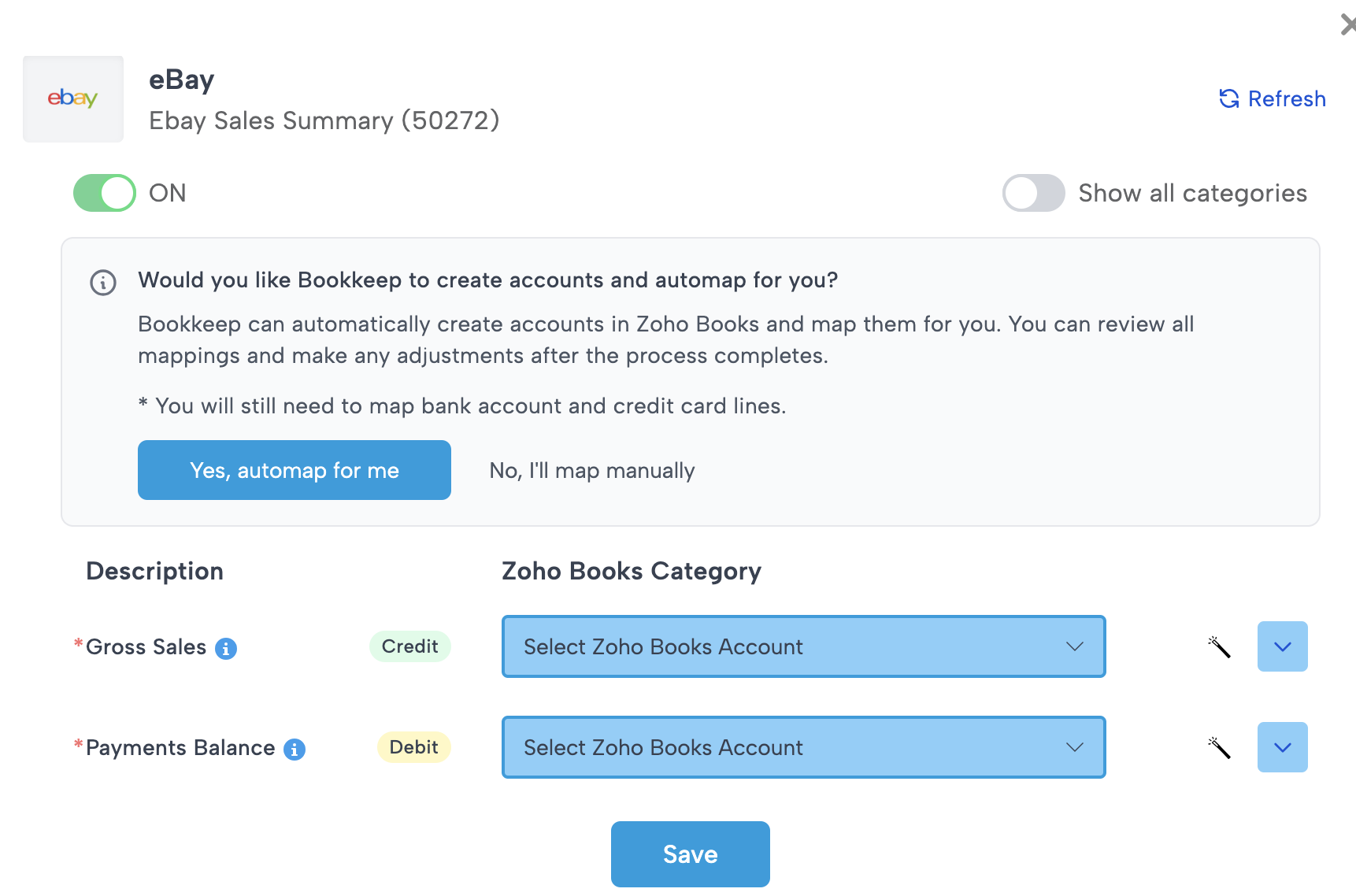
1. Bookkeep Searches for Existing Accounts
For each required category, Bookkeep looks for an account in your accounting platform with a matching name.
-
If a matching account exists → Bookkeep uses it
-
If no matching account exists → Bookkeep creates a new one with the correct name and account type
2. Mapping Is Automatically Applied
Once accounts are found or created:
-
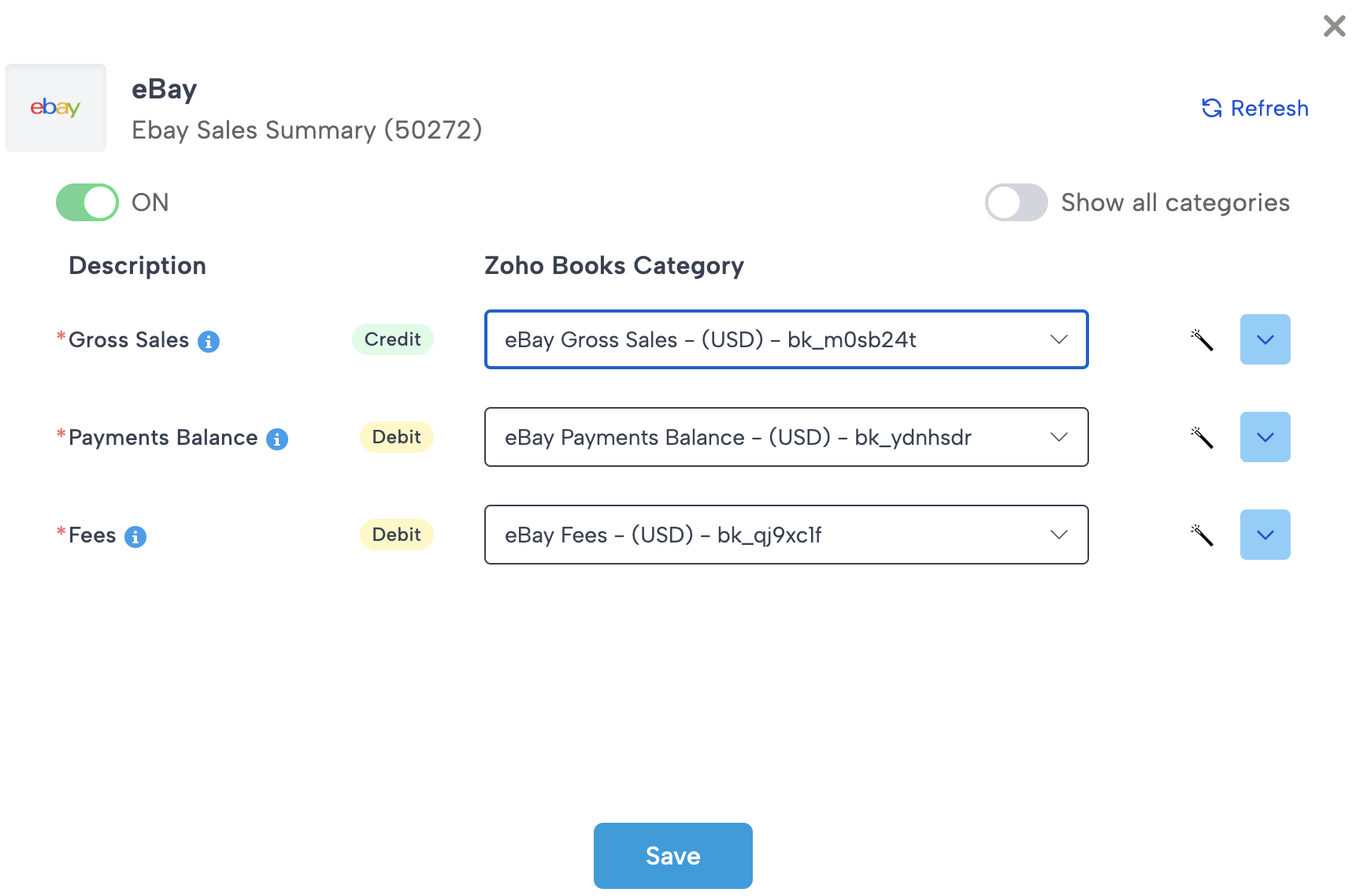
All applicable Bookkeep categories are mapped automatically
-
You are redirected back to the mapping page
-
A success message confirms automap completed
-
You can review or adjust any mapping as needed
What Automap Does Not Map
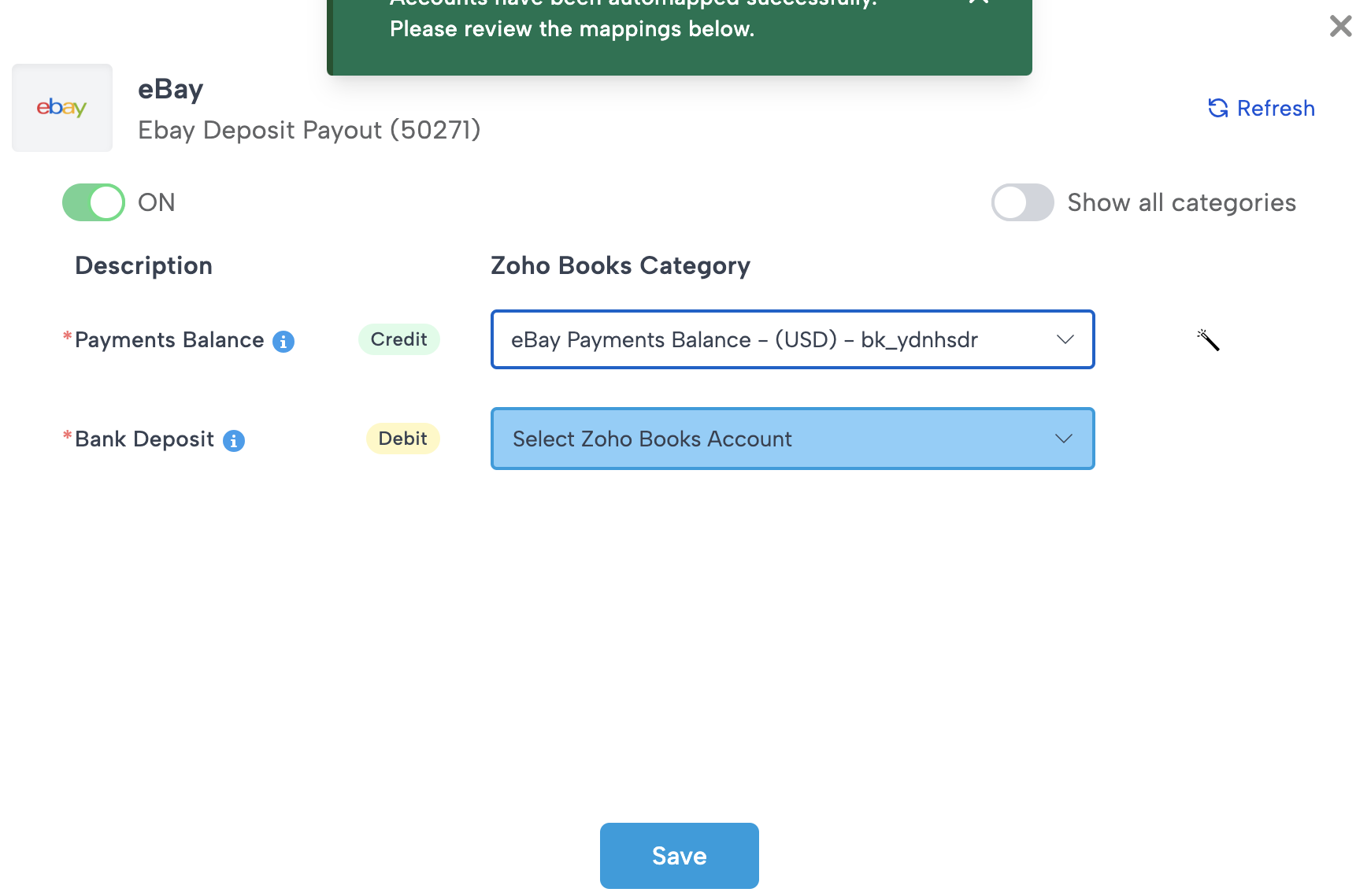
To avoid errors and ensure proper financial reporting, automap does not map:
-
Bank accounts
-
Credit card accounts
-
Subcategories
These must be manually selected by the customer.
Why Automap May Not Appear
You will not see the automap button if:
-
You already started mapping manually
-
Your accounting platform connection needs to be reconnected
-
You do not have both a sales channel and an accounting platform connected
If automap is missing unexpectedly, reconnecting your accounting platform or clearing existing mappings may resolve the issue.
Need Help?
If you have questions or need assistance using Chart of Accounts Automap, our support team is here to help. Feel free to reach out anytime.