How Bookkeep Supports Intuit Enterprise Suite Dimensions
Overview
Bookkeep integrates with Intuit Intuit Enterprise Suite (IES) to automate accounting while preserving the advanced reporting structure provided by custom dimensions.
One of the core capabilities of Intuit Enterprise Suite is the ability to define and use custom dimensions to categorize financial data across multiple attributes. These dimensions allow businesses to segment transactions beyond traditional accounting fields such as class or location.
Bookkeep supports this architecture by ensuring that financial data posted from commerce platforms can include the appropriate dimension values, allowing businesses to maintain accurate and detailed reporting inside IES.
What Are Dimensions in Intuit Enterprise Suite
Dimensions in Intuit Enterprise Suite allow businesses to categorize transactions using customizable fields that represent how the organization analyzes financial performance.
Examples of common dimensions include:
-
Department
-
Region or territory
-
Sales channel
-
Store or location
-
Product category
This enables highly detailed reporting and analysis across multiple areas of the business.
How Bookkeep Works with IES Dimensions
Supports Custom Dimensions in Accounting Entries
Bookkeep can include dimension values when posting accounting data into Intuit Enterprise Suite. This ensures that automated journal entries or summarized financial postings align with the dimensional structure configured in IES.
This allows organizations to:
-
Maintain dimensional reporting accuracy
-
Preserve operational context from commerce systems
-
Reduce manual classification in accounting
How Dimension Mapping Works in Bookkeep
Step 1: Configure Dimensions in Intuit Enterprise Suite
Before using dimensions with Bookkeep, organizations should create and configure their custom dimensions within Intuit Enterprise Suite.
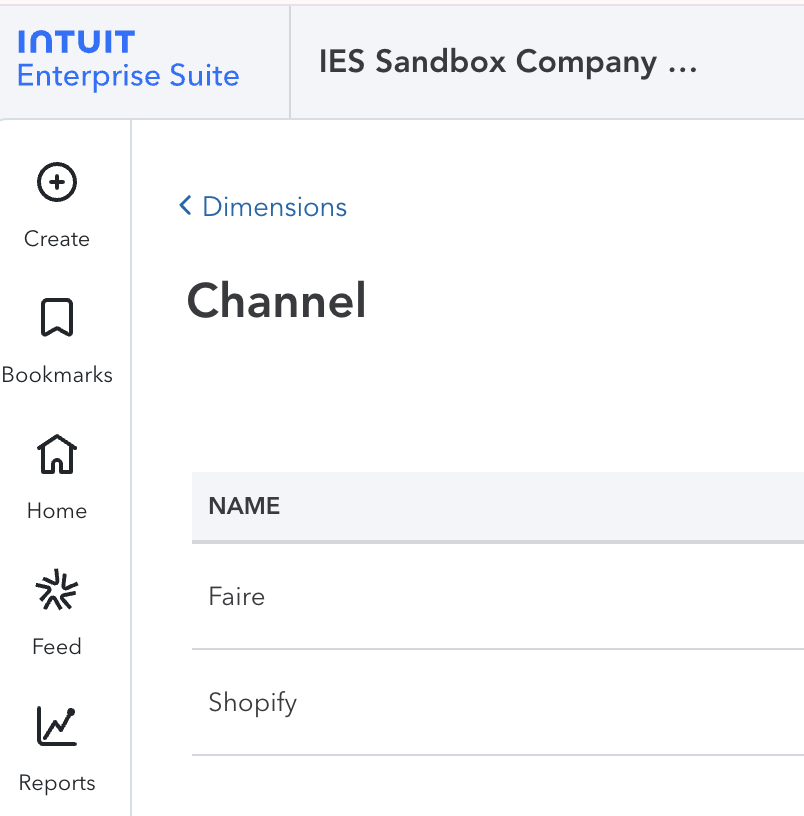
This may include:
-
Defining dimension categories
-
Creating dimension values
-
Establishing reporting structures
Step 2: Map Operational Data to Dimensions in Bookkeep
Within Bookkeep, operational attributes from integrations can be mapped to the corresponding IES dimension values.
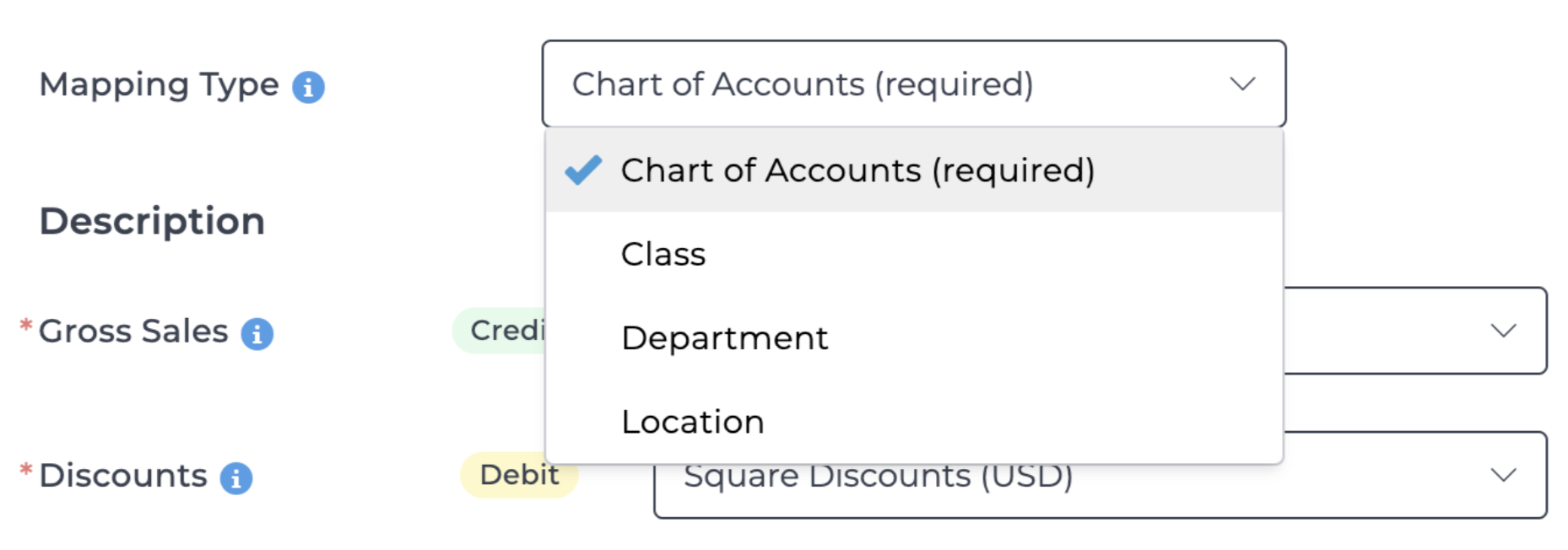
This mapping ensures that data flows correctly into IES.
Step 3: Automated Posting with Dimensions
Once mapping is configured:
-
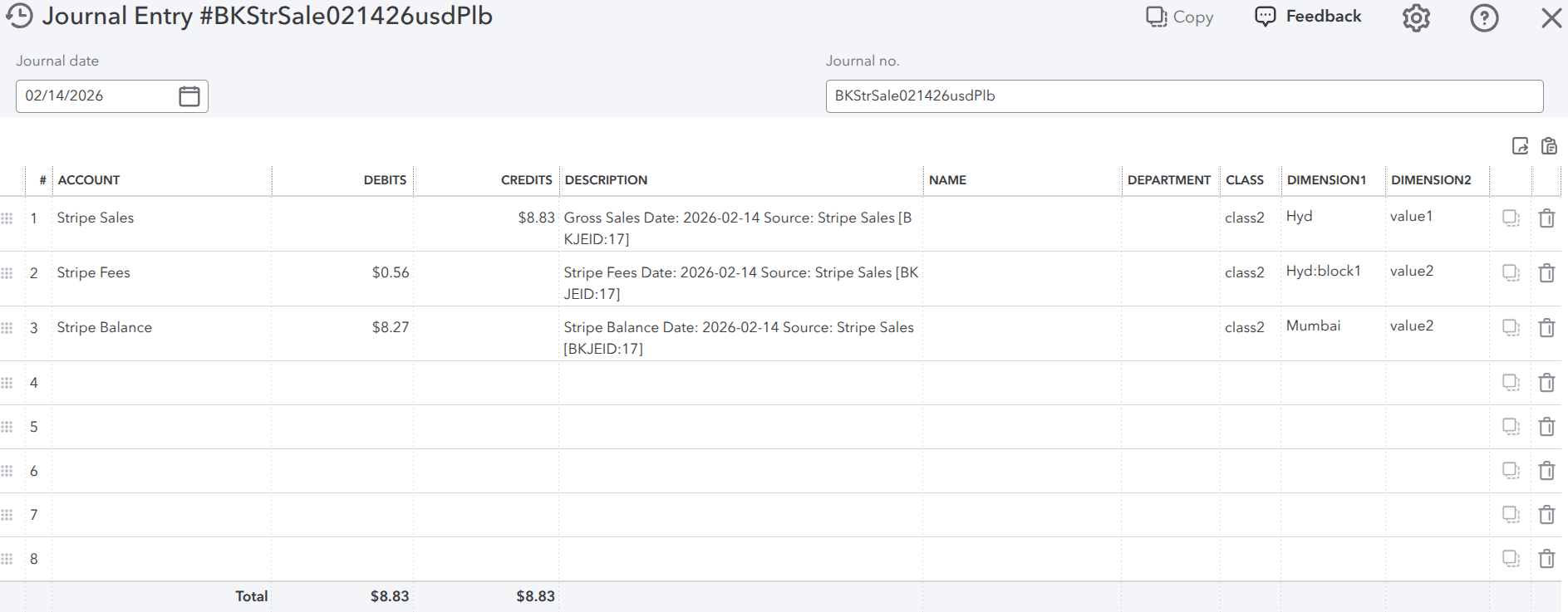
Bookkeep generates summarized accounting entries
-
Dimension values are included in the posting
-
Entries appear in IES with the appropriate dimensional classification
This allows reports in IES to reflect accurate operational segmentation.
Example Use Cases
Multi-Channel Commerce Businesses
Companies selling across multiple channels can track:
-
POS vs Ecommerce
-
Marketplace sales
-
Third-party delivery platforms
Multi-Location Organizations
Businesses with multiple stores or regions can:
-
Track profitability by location
-
Analyze regional performance
-
Consolidate financial reporting
Benefits of Using Bookkeep with Intuit Enterprise Suite
Using Bookkeep with Intuit Enterprise Suite provides:
-
Automated accounting with dimension support
-
Consistent financial data across systems
-
Reduced manual classification of transactions
-
Scalable financial reporting across multiple dimensions
-
Improved operational insights in financial reports
This enables organizations to maintain advanced financial reporting while automating their accounting processes.